Your sales team uses HubSpot every day.
Leads arrive through website forms, emails and marketing campaigns. Salespeople hold meetings, send proposals and update deals. Marketing tracks campaign performance while managers review the pipeline.
Yet despite having a powerful CRM, much of the work still happens manually.
Salespeople forget to log conversations. Contacts have incomplete information. Leads remain unassigned. Follow-up tasks are created too late. Managers export spreadsheets because they don't trust the pipeline data.
Adding more software doesn't necessarily fix these problems.
HubSpot AI automation can help businesses improve the accuracy of their CRM, reduce repetitive administration and act on customer information more consistently.
HubSpot now offers native AI capabilities through Breeze, alongside traditional workflows, CRM automation and custom agents. Businesses can also extend HubSpot with integration platforms and custom software.
The challenge is deciding what to automate, which tools to use and when additional development is actually worth paying for.
This guide examines 12 practical HubSpot automation workflows, explains native Breeze capabilities, compares implementation approaches and shows how Australian businesses can calculate costs and evaluate results.
What Is HubSpot AI Automation?
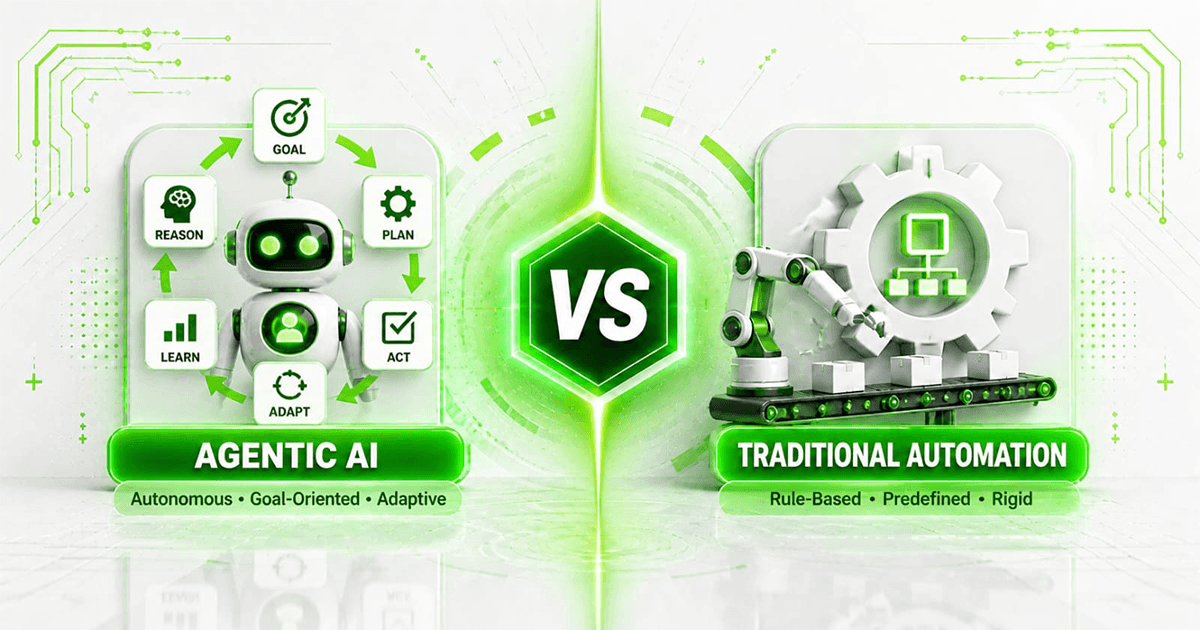
HubSpot AI automation combines customer relationship management, workflow rules and artificial intelligence to support business processes.
It can involve three different layers.
1. Traditional CRM automation
These are deterministic workflows.
For example:
Contact submits a form → Assign contact owner → Create follow-up task
The outcome follows predefined rules.
2. AI-assisted automation
AI helps interpret information or prepare content.
For example:
Enquiry received → AI identifies service interest → CRM record updated → Salesperson reviews recommendation
3. AI agents
An AI agent can coordinate multiple approved steps, use connected tools and work toward a defined objective.
For example, a prospecting agent may research an account, retrieve CRM context and prepare relevant sales outreach.
The difference matters because not every automation requires an AI agent.
Many of the most valuable improvements can be achieved with ordinary CRM workflows.
What Is HubSpot Breeze AI?
Breeze is HubSpot's collection of AI capabilities integrated into its customer platform.
It includes AI assistance, specialised agents and embedded AI features across marketing, sales and customer service.
Businesses can explore the current product offering on HubSpot's official AI platform page.
Breeze Assistant
Breeze Assistant helps users work with CRM information and business context.
Potential uses include:
- Summarising customer records.
- Preparing for meetings.
- Drafting content.
- Researching account context.
- Analysing CRM information.
- Assisting with workflow creation.
HubSpot describes Breeze Assistant as included with HubSpot subscriptions, although specific advanced features and connected capabilities may have additional requirements.
Agent Hub and agent builder
HubSpot provides tools for discovering, managing and creating AI agents.
Custom agents can use business instructions, CRM information and approved tools.
According to HubSpot's published documentation, custom agent execution can consume HubSpot Credits.
That distinction is important when calculating costs.
Embedded AI features
AI functionality also appears within HubSpot's existing products.
Examples may include content assistance, customer insights and sales productivity features.
Availability varies by subscription, feature and account configuration.
Before commissioning a custom AI agent, check whether HubSpot already offers the capability you need.
HubSpot AI Automation vs Traditional HubSpot Workflows
These technologies can complement one another.
| Capability | Traditional workflow | AI-assisted workflow | AI agent |
|---|---|---|---|
| Assign contact owner | Strong fit | Usually unnecessary | Usually unnecessary |
| Create follow-up task | Strong fit | Optional | Optional |
| Interpret free-text enquiries | Limited | Strong fit | Strong fit |
| Summarise customer conversations | Limited | Strong fit | Strong fit |
| Apply fixed lead-routing rules | Strong fit | Optional | Optional |
| Research account context | Requires additional logic | Useful | Useful |
| Coordinate several contextual actions | Limited | Possible | Stronger fit |
| Predictability | Generally high | Depends on design | Depends on design |
| Implementation complexity | Usually lower | Moderate | Potentially higher |
The strongest implementation often uses all three selectively.
For example, AI may interpret an enquiry while a deterministic workflow decides which salesperson receives it.
That separation makes important actions easier to control.
12 HubSpot AI Automation Workflows for Businesses
| # | Workflow | Business objective |
|---|---|---|
| 1 | AI lead qualification | Identify relevant opportunities |
| 2 | Lead routing | Assign enquiries promptly |
| 3 | CRM data enrichment | Improve record completeness |
| 4 | Duplicate detection | Reduce unreliable customer records |
| 5 | Sales follow-up assistance | Reduce missed next steps |
| 6 | Meeting preparation | Give salespeople useful context |
| 7 | Deal-stage automation | Improve pipeline consistency |
| 8 | Customer service triage | Route enquiries efficiently |
| 9 | AI prospect research | Support account preparation |
| 10 | Quote and proposal workflows | Reduce manual preparation |
| 11 | Finance and operations integration | Connect HubSpot with other systems |
| 12 | Pipeline reporting | Improve management visibility |
These workflows can be implemented individually or combined into a broader CRM improvement programme.
1. AI Lead Qualification in HubSpot
Lead qualification is one of the most practical AI use cases.
A typical website form may capture a name, email address and message.
But the message often contains valuable context.
For example:
We're an Australian logistics company looking to automate our customer onboarding process. We currently use HubSpot and an internal database.
A qualification workflow could identify:
Industry: Logistics
Service interest: Workflow automation
Existing CRM: HubSpot
Integration requirement: Internal database
Timeline: Not specified
Next action: Request project scope and timeframe
Example workflow
Form submitted
↓
Validate contact information
↓
Check for existing CRM record
↓
AI interprets enquiry
↓
Apply qualification criteria
↓
Assign priority
↓
Route to salesperson
↓
Create follow-up task
The AI should not invent missing budget or timeline information.
For a deeper implementation guide, read AI lead qualification agents.
2. Automated Lead Routing
A common CRM problem is that leads enter HubSpot but reach the wrong person.
A routing workflow can use:
- Geographic territory.
- Product interest.
- Business size.
- Existing account ownership.
- Sales team availability.
- Customer category.
Example
A company submits an enquiry about enterprise CRM integration.
The workflow identifies the relevant service and assigns the contact to the appropriate account executive.
An internal notification includes the enquiry summary.
What should remain rules-based?
Once the service category is established, assignment can often follow deterministic rules.
There is little reason to ask an AI model to randomly choose between salespeople when your organisation already has a defined territory structure.
3. AI CRM Data Enrichment
CRM records become less useful when important fields are missing.
A business may have thousands of contacts with incomplete company information.
AI-assisted enrichment can help organise approved information.
Potential fields include:
- Company industry.
- Company website.
- Business category.
- Relevant service interest.
- Account context.
- Contact role where appropriately sourced.
HubSpot offers native customer intelligence and data agent capabilities that should be evaluated before building a separate enrichment service.
Data quality matters
A model should distinguish verified information from inferred information.
For example:
Verified: Company website supplied by the contact.
Inferred: Company may belong to the manufacturing industry.
Those should not be stored as equally certain facts.
Australian businesses should also consider applicable privacy requirements when enriching personal information.
4. Duplicate Contact and Company Management
Duplicate CRM records create operational problems.
A customer may appear under:
- A personal email.
- A company email.
- A shortened company name.
- A different phone number.
- An imported marketing list.
Poor deduplication can cause:
- Repeated outreach.
- Incorrect reporting.
- Fragmented customer history.
- Duplicate sales activity.
- Conflicting account ownership.
Automation approach
A workflow can flag possible duplicates using approved matching criteria.
But automatic merging should be treated carefully.
Two contacts sharing a phone number or similar name are not necessarily the same person.
For uncertain matches, a human review queue is safer than automatic deletion or merging.
5. AI-Assisted Sales Follow-Up
Salespeople often lose opportunities because the next action is not recorded.
An automation can help identify deals requiring attention.
Example workflow
Sales meeting completed
↓
Meeting information retrieved
↓
AI prepares summary
↓
Outstanding actions identified
↓
Draft follow-up prepared
↓
Salesperson reviews
↓
Approved message sent
↓
CRM activity updated
This approach keeps the salesperson responsible for the customer relationship while reducing repetitive administration.
Why approval matters
AI-generated follow-ups may contain incorrect commitments, pricing or dates.
Review is particularly important when the message includes contractual, financial or sensitive information.
6. AI Meeting Preparation
A salesperson preparing for a discovery call may need to review:
- Contact history.
- Previous meetings.
- Open deals.
- Support issues.
- Company information.
- Previous objections.
- Outstanding commitments.
Breeze Assistant can help surface relevant CRM context.
A meeting-preparation workflow could produce a concise briefing.
Example briefing
Company: Example Manufacturing Pty Ltd
Current opportunity: CRM integration
Previous discussion: Data synchronisation problems
Outstanding question: ERP API access
Suggested agenda: Confirm integration scope and ownership
Source: Existing CRM records
The system should cite or link to the underlying records when practical.
This helps salespeople distinguish genuine account history from generated interpretation.
7. Deal Pipeline Automation
Pipeline reporting becomes unreliable when deal stages are updated inconsistently.
Automation can help maintain accurate records.
For example:
Proposal accepted
↓
Check required fields
↓
Update deal stage
↓
Create onboarding task
↓
Notify delivery team
↓
Prepare handover record
Common mistake
Businesses sometimes move deals automatically based on email opens or other weak signals.
An opened email is not proof that a proposal was accepted.
Important stage transitions should depend on reliable business events.
8. AI Customer Service Triage
HubSpot can support customer service workflows through Service Hub and related AI capabilities.
An AI-assisted process may classify incoming enquiries.
Examples include:
- Billing question.
- Technical problem.
- Account update.
- Cancellation request.
- Product information.
- Sales enquiry.
Example workflow
Customer message received
↓
Customer identity and context checked
↓
AI classifies issue
↓
Knowledge source consulted
↓
Approved response or escalation prepared
↓
Ticket updated
When human support is essential
Escalate when:
- The customer requests a person.
- The issue is sensitive.
- Account verification fails.
- The system lacks reliable information.
- The customer disputes a charge.
- The issue requires authority the agent does not have.
HubSpot's Customer Agent may already cover parts of this process.
Custom development should focus on requirements that native functionality cannot satisfy.
9. AI Prospect Research
Sales teams often spend time researching companies before contacting them.
HubSpot's prospecting and data agent capabilities can assist with account context.
An agent may help organise:
- Company background.
- Relevant business information.
- Existing CRM history.
- Potential service needs.
- Previous engagement.
Important limitation
AI research can be incomplete or outdated.
A useful system should preserve source information and avoid presenting speculation as verified fact.
Research should also comply with applicable privacy and outreach requirements.
10. Quote and Proposal Automation
Some businesses prepare proposals using information already stored in HubSpot.
A workflow can reduce repeated data entry.
Example
Deal reaches proposal stage
↓
Check required information
↓
Retrieve approved service pricing
↓
Prepare proposal draft
↓
Sales manager reviews
↓
Approved document issued
↓
CRM updated
What should not be automated blindly?
An AI model should not invent:
- Discounts.
- Contract terms.
- Delivery commitments.
- Legal clauses.
- Project pricing.
Commercial commitments should come from approved business rules and authorised employees.
11. HubSpot Integration With Finance and Operations Systems
HubSpot rarely operates alone.
Businesses may also use:
- Xero.
- MYOB.
- ERP software.
- Project management systems.
- Inventory platforms.
- Customer portals.
- Internal databases.
Disconnected systems create manual work.
Example: HubSpot to accounting
Deal marked won
↓
Customer details validated
↓
Accounting customer checked
↓
Approved customer record synchronised
↓
Billing workflow initiated
↓
HubSpot updated with relevant status
This requires careful mapping of customer identities, financial fields and access permissions.
For accounting-specific use cases, see Xero invoice automation and MYOB automation.
12. AI-Assisted Pipeline Reporting
Managers need reliable information about:
- Lead sources.
- Qualification rates.
- Pipeline value.
- Deal ageing.
- Sales activity.
- Conversion rates.
- Forecast assumptions.
AI can assist with explaining patterns and summarising changes.
However, reporting calculations should use reliable CRM data and defined formulas.
Example
A manager asks:
Why did our qualified pipeline decrease this month?
An AI-assisted analysis could identify:
- Deals moved to closed-lost.
- Fewer opportunities created.
- Changes in average deal value.
- Delayed stage progression.
But it should distinguish measurable changes from speculative explanations.
The strongest reporting system connects narrative insights to verifiable underlying records.
Native HubSpot AI vs n8n, Make and Custom Development
Businesses often ask whether they need an external automation platform.
The answer depends on the workflow.
| Requirement | Native HubSpot | n8n or Make | Custom application |
|---|---|---|---|
| Basic CRM routing | Usually suitable | Often unnecessary | Usually unnecessary |
| HubSpot record updates | Strong fit | Useful for external triggers | Possible |
| Standard lead scoring | Strong fit where available | Optional | Optional |
| Cross-platform workflows | Depends on integrations | Strong fit | Strong fit |
| Complex API orchestration | May have limitations | Strong fit | Strong fit |
| Specialist AI processing | Depends on native features | Possible | Flexible |
| Legacy system integration | Depends on connector | Possible | Often appropriate |
| Highly specialised business logic | Depends on capabilities | Possible | Strong fit |
When native HubSpot is enough
Use native features when they reliably support the process.
This can reduce complexity and the number of systems your team must maintain.
When n8n or Make makes sense
An external workflow platform may be useful when HubSpot must coordinate actions across multiple applications.
For more information, read n8n automation cost in Australia.
When custom development makes sense
Custom software may be justified when the workflow requires unusual business rules, proprietary systems or specialised operational controls.
The goal should be a maintainable solution, not unnecessary technical complexity.
How HubSpot API Integrations Work
Custom integrations typically use HubSpot's developer capabilities.
The official HubSpot developer documentation explains available APIs, authentication and integration patterns.
A workflow may involve:
- Receiving an approved event.
- Authenticating with HubSpot.
- Retrieving a contact or deal.
- Validating relevant information.
- Calling another business system.
- Updating supported CRM properties.
- Logging the result.
- Handling errors.
Important engineering considerations
Authentication: Use the appropriate OAuth or application authentication approach.
Permissions: Grant only the scopes required.
Rate limits: Avoid exceeding API usage limits.
Idempotency: Prevent duplicate actions when events are retried.
Data mapping: Ensure field types and identifiers match.
Error handling: Detect failed requests and partial updates.
Monitoring: Make failures visible to the responsible team.
An integration that works during a demonstration may still fail in production if these details are ignored.
How Much Does HubSpot AI Automation Cost?
There are three main approaches to budgeting.
1. Configure existing HubSpot features
Some businesses already have the necessary subscription capabilities.
The main additional costs may involve:
- CRM cleanup.
- Workflow configuration.
- Staff training.
- Process documentation.
2. Use native HubSpot AI agents
HubSpot provides Breeze Assistant and agent-building capabilities.
Its published documentation distinguishes between included functionality and features that consume HubSpot Credits.
Custom agents can consume credits based on their activity.
Credit requirements and available features should be checked against the current subscription.
See HubSpot's official agent builder information and HubSpot pricing.
3. Build custom AI automation
A custom project may include:
- Discovery.
- CRM data cleanup.
- Workflow architecture.
- AI model integration.
- API development.
- Testing.
- Security controls.
- Monitoring.
- Documentation.
Illustrative implementation budgets
| Project type | Hypothetical initial budget |
|---|---|
| Basic CRM workflow configuration | A$500–A$`<!-- -->`{=html}2,500 |
| Multi-step HubSpot automation | A$2,500–A$`<!-- -->`{=html}8,000 |
| AI-assisted sales or service workflow | A$8,000–A$`<!-- -->`{=html}20,000 |
| Complex custom AI and multi-system integration | A$20,000–A$`<!-- -->`{=html}50,000+ |
These figures are illustrative budgeting scenarios, not independently verified Australian market averages or Mintodes quotations.
Actual pricing depends on scope, existing subscriptions, technical complexity and support requirements.
Hidden HubSpot AI Automation Costs
The initial project quote may not represent the complete investment.
Potential ongoing expenses include:
- HubSpot subscription upgrades.
- HubSpot Credits.
- External AI model usage.
- Workflow platform subscriptions.
- API-related third-party services.
- Data enrichment.
- Hosting.
- Monitoring.
- Maintenance.
- Human exception handling.
Why usage modelling matters
An AI agent that processes 100 enquiries monthly may have a very different operating cost from one processing 50,000 records.
Before purchasing, estimate:
Monthly events × Average processing per event × Applicable usage charges
Also consider retries, reprocessing and peak demand.
HubSpot AI Automation ROI Example
Consider a hypothetical Australian B2B company.
Its sales team spends 25 hours weekly on:
- CRM updates.
- Lead triage.
- Meeting preparation.
- Follow-up administration.
- Reporting.
Assume a fully loaded labour cost of A$50 per hour.
Annual workload:
25 × 52 = 1,300 hours
Equivalent annual labour capacity value:
1,300 × A$50 = A$65,000
After automation
Suppose the same work requires 10 hours weekly.
New annual workload:
10 × 52 = 520 hours
Capacity released:
1,300 − 520 = 780 hours
Equivalent annual capacity value:
780 × A$50 = A$39,000
This is not automatically a cash saving.
The business must determine whether that capacity reduces actual expenditure, avoids additional hiring or supports measurable productive work.
First-year ROI illustration
Assume the company can realise A$39,000 of annual financial benefit.
Implementation:
A$12,000
Annual software and support:
A$9,000
Total first-year cost:
A$21,000
ROI:
(A$39,000 - A$`<!-- -->`{=html}21,000) ÷ A$21,000 × 100
= approximately 85.7%
This is a hypothetical illustration, not a guaranteed result.
For a broader calculation framework, read how to calculate AI automation ROI.
How to Implement HubSpot AI Automation Successfully
Step 1: Audit your CRM
Review duplicate records, missing fields, inconsistent deal stages and outdated ownership rules.
Step 2: Identify high-value workflows
Prioritise processes that are repetitive, measurable and operationally important.
Step 3: Review native HubSpot capabilities
Check which workflows, AI tools and integrations are available in your subscription.
Step 4: Define business rules
Document qualification criteria, routing rules, approval requirements and escalation paths.
Step 5: Select the architecture
Choose native workflows, external orchestration or custom software based on actual requirements.
Step 6: Design permissions
Limit access to necessary CRM objects and data.
Step 7: Build and test
Test normal cases, duplicates, missing information, API failures and incorrect AI interpretations.
Step 8: Run a controlled pilot
Start with internal automation or a limited lead source.
Step 9: Measure results
Track processing time, error rates, lead response and sales acceptance.
Step 10: Expand gradually
Automate customer-facing actions only after the underlying CRM data and internal workflows are dependable.
A Practical 30-Day HubSpot AI Automation Pilot
For a limited project with straightforward integrations, a four-week pilot may be practical.
| Period | Main activity | Deliverable |
|---|---|---|
| Days 1–7 | CRM audit and workflow selection | Requirements and baseline |
| Days 8–14 | Configuration and integration | Working prototype |
| Days 15–21 | Testing and staff review | Evaluation results |
| Days 22–30 | Controlled pilot | Performance report |
Complex enterprise integrations may take considerably longer.
The objective is to validate value before increasing scope.
Australian Privacy and AI Compliance
HubSpot automation may process personal information such as:
- Names.
- Email addresses.
- Phone numbers.
- Job titles.
- CRM notes.
- Communication histories.
Australian organisations should assess applicable obligations under the Privacy Act and Australian Privacy Principles.
The Office of the Australian Information Commissioner provides official guidance.
Important safeguards
Data minimisation: Collect and process only what is needed.
Approved data sources: Avoid unreliable or inappropriate enrichment.
Access controls: Restrict CRM information to authorised users and systems.
Transparency: Explain relevant personal-information practices.
Accuracy: Allow incorrect information to be reviewed and corrected.
Cross-border processing: Understand where connected services process data.
Human oversight: Review sensitive or consequential decisions.
Automated marketing communications
Businesses should also consider Australia's Spam Act when sending commercial electronic messages.
The Australian Communications and Media Authority provides guidance on consent, sender identification and unsubscribe requirements.
A contact appearing in HubSpot does not automatically mean the business has permission to send every type of marketing message.
Common HubSpot AI Automation Mistakes
Automating before cleaning CRM data
Bad data can create incorrect routing, duplicate outreach and unreliable reports.
Buying AI tools before checking native features
Some requirements may already be covered by HubSpot.
Giving AI unrestricted control over customer communications
Use appropriate approval and escalation rules.
Ignoring API failures
Integrations should handle unavailable services and partial updates.
Using AI for simple deterministic tasks
A fixed routing rule is often cheaper and more predictable.
Failing to track HubSpot Credits
Usage-based AI features should be included in cost forecasts.
Automatically merging uncertain duplicates
Incorrect merges can damage customer history.
Treating AI-generated summaries as verified facts
Important claims should be checked against source records.
Measuring only activity volume
More automated emails or updated records do not necessarily mean better sales performance.
Skipping documentation
Your business should understand and control the workflows it depends on.
How to Choose a HubSpot AI Automation Consultant
Before hiring a provider, ask:
- Which HubSpot subscription features can we use already?
- What problems require custom development?
- How will CRM data quality be improved?
- How will duplicate contacts be handled?
- Which AI actions require human approval?
- How will integrations handle API failures?
- What are the ongoing HubSpot Credit and software costs?
- How will personal information be protected?
- Who owns the workflows and integration accounts?
- What documentation and training are included?
- How will we measure business outcomes?
- What support is available after launch?
A strong consultant should explain when not to use AI.
That can be as valuable as knowing how to build it.
HubSpot AI Automation With Mintodes
Mintodes provides CRM and sales automation services for Australian businesses, including HubSpot integrations and workflows that reduce manual CRM administration.
Its service offering includes:
- CRM activity capture.
- Contact and company enrichment.
- Duplicate record handling.
- Lead scoring.
- Lead routing.
- Follow-up automation.
- Pipeline reporting.
- Custom integrations.
Mintodes' approach prioritises data quality and internal workflow reliability before expanding into automated customer communications.
For businesses needing more advanced systems, Mintodes also offers AI agent development and workflow automation services.
Start With a HubSpot Automation Audit
Before commissioning a custom AI solution, identify where your CRM is creating unnecessary work.
Ask:
How many leads arrive each month?
How quickly are they assigned?
How often do salespeople update records manually?
Which follow-ups are missed?
How accurate is the current pipeline?
Which external systems need to connect with HubSpot?
These questions help determine whether native HubSpot automation, AI-assisted workflows or custom development is the best investment.
Explore HubSpot AI automation with Mintodes
Frequently Asked Questions
What is HubSpot AI automation?
HubSpot AI automation combines CRM workflows and artificial intelligence to help manage customer information, lead qualification, sales administration and service processes.
Does HubSpot have built-in AI?
Yes. HubSpot offers Breeze Assistant, AI agents and embedded AI features across its customer platform, subject to subscription and feature availability.
What is HubSpot Breeze?
Breeze is HubSpot's collection of AI capabilities for marketing, sales, customer service and CRM-related work.
Can HubSpot automatically qualify leads?
HubSpot supports lead scoring and automation features. AI-assisted qualification can also interpret unstructured enquiries and help organise relevant information.
Can HubSpot AI update CRM records?
AI-enabled workflows and agents can support CRM actions within their available permissions and configured capabilities. Important updates should be validated appropriately.
Does HubSpot AI cost extra?
Some AI assistance is included with HubSpot subscriptions. Certain advanced features and custom agents use HubSpot Credits or require specific subscriptions.
Can n8n integrate with HubSpot?
Yes. n8n can orchestrate workflows involving HubSpot through supported integrations and APIs.
Can HubSpot integrate with Xero?
HubSpot can be connected with accounting systems through suitable integrations, subject to supported operations and permissions.
Can HubSpot integrate with MYOB?
Potentially, yes, through appropriate integration software or custom API development. Feasibility depends on the MYOB product and required operations.
Is HubSpot AI automation suitable for small businesses?
Yes. Small businesses may benefit from native workflows, lead routing and AI assistance without needing complex custom software.
How much does HubSpot AI automation cost in Australia?
Costs depend on subscriptions, usage, implementation scope and support. Businesses should calculate both initial and recurring expenses.
Will HubSpot AI replace salespeople?
It can reduce repetitive administration and assist with research, but salespeople remain important for relationships, complex discovery, negotiation and judgement.
How long does HubSpot AI automation take to implement?
Simple workflows may be configured relatively quickly. Complex integrations and AI agents can require several weeks or longer.
What is the biggest risk of HubSpot AI automation?
One major risk is automating actions using incomplete or inaccurate CRM data. Data quality, validation and human oversight are essential.
Final Thoughts
HubSpot AI automation can help Australian businesses improve lead handling, reduce CRM administration and create more consistent sales and service processes.
But the best results rarely come from switching on every AI feature.
Start with the fundamentals.
Make sure customer records are accurate.
Define clear sales processes.
Use native HubSpot workflows where they meet the requirement.
Introduce AI when language understanding, contextual research or complex decision support creates genuine value.
Add custom integrations only when the business process requires them.
And measure the results using meaningful outcomes, not simply the number of automated actions.
The goal is not a CRM that does more things automatically.
It's a CRM that helps your team make better decisions, respond faster and spend more time serving customers.