Every second automation conversation we have starts the same way: someone's already signed up for Zapier, hit a wall, and is quietly wondering if the tool is the problem or they are. Usually it's neither — it's that the three big platforms are built on genuinely different assumptions, and picking the wrong one for your situation makes everything harder than it needs to be.
We build on all three depending on the client, so this isn't a sales pitch for one of them (though we'll admit our default and say why). It's the comparison we wish someone had given us before we'd wasted a few weeks learning it the hard way.
The one-paragraph version
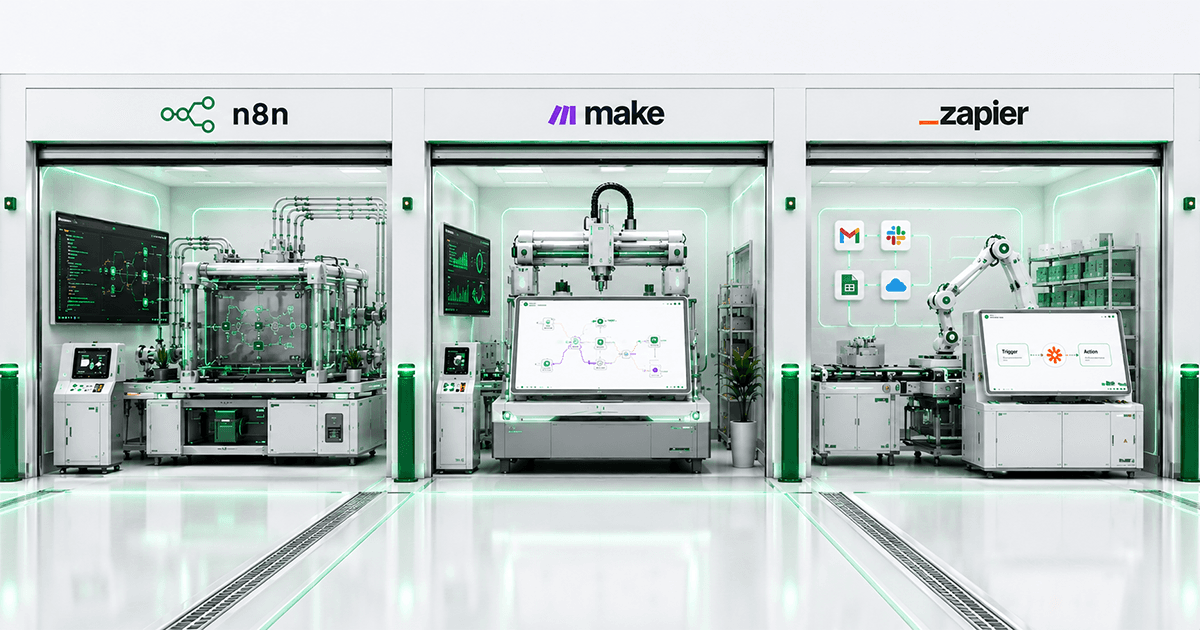
Zapier is the easiest to start with and the most expensive to scale. Make (formerly Integromat) sits in the middle — more power, a visual canvas, better pricing at volume, a steeper first afternoon. n8n is the most capable and the most technical, and it's the only one of the three you can self-host, which matters more in Australia than the marketing pages let on.
Zapier: the on-ramp
Zapier's whole pitch is that anyone can build something in ten minutes, and that's true. "When X happens, do Y" — the interface gets out of your way. For a genuinely simple automation — new form entry creates a Trello card, new email adds a spreadsheet row — it's hard to beat for speed.
Two things bite people later. First, pricing is metered by "tasks" (each action counts), and task counts climb faster than anyone expects once an automation is actually useful — a business running a few thousand invoices a month can find itself on a surprisingly large monthly bill for what is, underneath, a fairly simple flow. Second, branching logic and error handling are workable but clunky; anything with real conditional complexity starts to feel like you're fighting the tool.
Where it's the right call: a small number of simple, low-volume connections between mainstream apps, and nobody in-house wants to think about automation infrastructure at all. Genuinely a fine choice there — don't let anyone talk you out of the simple option when simple is what you need.
Make: more power, similar spirit
Make's visual canvas is its best feature — you see the whole flow as connected nodes, branches and all, rather than Zapier's linear steps. That makes debugging noticeably easier once a workflow has more than three or four steps, and it handles iteration, routing and error paths more gracefully.
Pricing is usually kinder at volume than Zapier's, though the tasks-based model persists in a different shape ("operations" here) — the same advice applies: model your expected volume before committing, not after the first invoice arrives. Make is also, in our experience, the platform most likely to feel like the right middle ground for a business that has outgrown Zapier but doesn't want to manage its own infrastructure.
Where it's the right call: moderate complexity, a team that's comfortable with a slightly steeper learning curve, and no strict requirement that data stay on infrastructure you control.
n8n: the one we default to, and why
n8n does everything Make does — visual canvas, branching, decent app coverage — plus two things neither competitor offers, and for Australian businesses specifically, both matter more than they first appear to.
It's open source and self-hostable. You can run n8n on your own infrastructure, including inside Australia. For businesses handling anything sensitive under the Privacy Act 1988 — health records, financial data, client files — this is the difference between "our automation platform stores customer data on servers we don't control, somewhere" and "our automation platform runs on infrastructure we chose, in a region we chose." We deploy client instances on AWS ap-southeast-2, the Sydney region, specifically for this reason.
Pricing doesn't punish success. Self-hosted n8n has no per-task metering. Run ten workflows or ten thousand executions a day — the infrastructure cost barely moves. For a business scaling up an automation that's genuinely working, this removes a ceiling the other two platforms quietly impose.
The honest trade-off: n8n has more of a learning curve, and self-hosting means someone is responsible for that infrastructure — updates, monitoring, backups. That's precisely the gap we fill for clients: we run and maintain the n8n instance as part of the build, so you get the control and the cost profile without needing an in-house DevOps person. We wrote up some of the operational lessons from running it at scale in our post on running n8n in production.
A straight comparison
- Ease of first build: Zapier > Make > n8n
- Handling real complexity: n8n ≈ Make > Zapier
- Cost at meaningful volume: n8n (self-hosted) > Make > Zapier
- Data residency and control: n8n (self-hosted, by a wide margin) > Make ≈ Zapier
- App/integration coverage out of the box: Zapier > Make > n8n (though n8n closes this gap fast via its HTTP node and growing library)
- AI and LLM-native workflows: n8n ≈ Make, both ahead of Zapier here in 2026
How we actually choose, project by project
Not by loyalty to one platform — by matching the platform to the situation:
A straightforward connection between two mainstream cloud apps, low volume, client wants to eventually manage it themselves without engineering help — Zapier or Make, whichever fits their budget better. No point over-engineering a five-minute problem.
Anything involving customer or financial data, meaningful volume, AI agents making decisions, or a client who cares (rightly) about exactly where their data sits — n8n, usually self-hosted on Australian infrastructure. This is most of our workflow automation and finance and accounting automation work.
Occasionally a client already has serious investment in one platform — years of Zapier zaps, institutional knowledge, a team trained on it. We build within that rather than forcing a migration nobody asked for. The best platform is sometimes the one you already know.
A mistake worth naming
The most expensive decision we see isn't picking the "wrong" platform — it's picking a platform before mapping the process. Teams sign up, start dragging nodes together, and only discover the shape of the real problem three hours in. Map the process on paper first: what triggers it, what data moves, what could go wrong, what happens when it does. Then the platform choice becomes obvious in about five minutes, whichever one that is.
Common questions
Can we switch platforms later if we outgrow one?
Yes, though it's real migration work, not a button. This is another argument for starting with an honest read of your near-term volume rather than the cheapest platform available today — a bit of upfront thinking saves a rebuild in six months.
Is self-hosted n8n actually secure?
As secure as the infrastructure it runs on, which is exactly the point — you control that infrastructure instead of trusting someone else's. Done properly (proper access controls, monitoring, regular updates, Australian hosting when required), it's a stronger security posture than handing sensitive data to any third-party SaaS platform, not a weaker one.
Do these platforms replace custom-built AI agents?
For a lot of workflows, no separate build is needed — these platforms now handle plenty of AI-driven logic natively. Where you outgrow them is highly specific reasoning, tight latency requirements, or logic too bespoke for a visual builder. That's when we move to custom AI development, often still triggered by or feeding back into the same n8n workflows.
What does it cost to get started with a professionally built n8n setup?
Comparable to or less than a mid-tier Zapier or Make plan over a year, once you account for the metering ceiling those platforms impose — see our full breakdown in what AI automation costs in Australia. The infrastructure itself is inexpensive; the value is in how the workflow is designed.
The short answer
If you want something running before lunch and the stakes are low, Zapier remains genuinely good at that job. If you're past the simple stuff — real volume, sensitive data, workflows that need to scale without the bill scaling faster — n8n is where we'd point you, and it's where most of our own build work lives.
Not sure which fits your situation? Talk to us and describe the process you're trying to automate. We'll tell you honestly which platform we'd use — including, sometimes, the answer that you don't need us and Zapier's free tier will do the job.
Written by the Mintodes engineering team. We build on n8n, Make and Zapier depending on what the job actually needs — not what we'd prefer to sell.