A business rarely becomes inefficient overnight. It happens one small workaround at a time.
A spreadsheet is created because the CRM cannot show something.
A staff member starts copying orders into another platform because the two systems do not communicate.
Someone keeps a private checklist because an important follow-up cannot be trusted to happen automatically.
Another employee spends Friday afternoon assembling numbers from three different dashboards for management.
Each workaround solves an immediate problem. Eventually, the workarounds become the process.
That is usually when businesses begin investigating business process automation in Australia.
That is usually when businesses begin investigating business process automation in Australia.
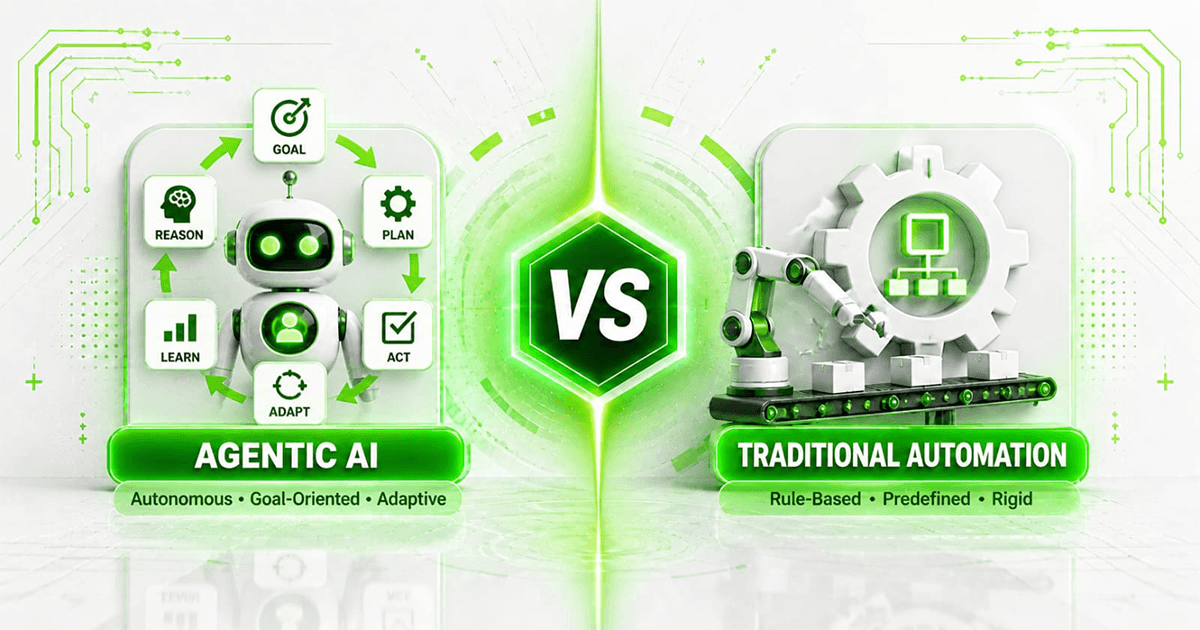
The goal is not simply to make individual tasks faster. Good automation changes how information moves through the company so employees are no longer acting as messengers between software systems.
For some businesses, connecting a few existing tools is enough.
For others, the workflow has become too specific for generic software. That is where custom AI and software development can become more useful than adding yet another subscription to the technology stack.
The important question is therefore not:
“What can we automate?”
Almost anything can be automated to some degree. The better question is:
“Which parts of our operation should software handle so our people can stop carrying the process manually?”
Business Process Automation in Plain English
Business process automation means using software to perform, coordinate or supervise repeatable steps inside an operational process.
Consider what happens after a new enquiry reaches a business. It may need to be:
- received
- checked
- categorised
- assigned
- entered into a CRM
- followed up
- quoted
- approved
- converted into a job
- invoiced
- reported
Without automation, different employees may manually push that enquiry from one stage to the next.
With automation, software can manage the predictable movement while employees step in for sales conversations, judgement calls, exceptions and approvals.
This distinction is important.
Automation is most valuable when it removes coordination work, not simply when it makes a button easier to click.
The Hidden Cost Is Usually Between Your Systems
Most businesses already use software.
The problem is often that each application knows only part of the story. A sales CRM knows what the customer requested.
An operations platform knows whether the work was completed. Xero knows whether the invoice was paid.
A spreadsheet contains the management view.
Email contains the exceptions nobody recorded anywhere else. Individually, the tools may work perfectly well.
The inefficiency appears between them.
Employees become responsible for transferring context from one application to another. That creates several recurring problems:
- The same customer information is entered more than once.
- One system is updated while another remains outdated.
- Follow-ups depend on memory.
- Reports are already stale when management receives them.
- Customers have to ask employees for information the business already possesses.
- Small data-entry errors move downstream into invoicing or reporting.
- Important knowledge becomes tied to individual employees.
A strong business automation solution removes those unnecessary handovers.
Instead of people connecting the systems manually, the systems exchange information directly.
A Simple Example: From Enquiry to Qualified Lead
Imagine a professional services company receiving enquiries from several channels. Without automation:
A customer completes a website form. The form sends an email.
An employee opens the email. They inspect the postcode.
They decide which salesperson covers the area. They create a CRM record.
They paste the message into the notes.
They notify the salesperson.
Later, somebody checks whether the lead received a response. Nothing here is technically difficult.
That is precisely why it is dangerous.
Because each action takes only a few minutes, the company may tolerate the process for years. Now imagine that same workflow with automation:
Website form → validation → duplicate check → territory identification → CRM creation → salesperson assignment → acknowledgement → follow-up deadline → management visibility
The salesperson receives the enquiry ready to work.
If no action occurs within the required period, the system can escalate it.
The employee who previously moved information around can spend that time doing something that actually requires a person.
That is the practical value of process automation.
The practical value of process automation
Business Process Automation Is Not the Same as Buying an Automation Tool
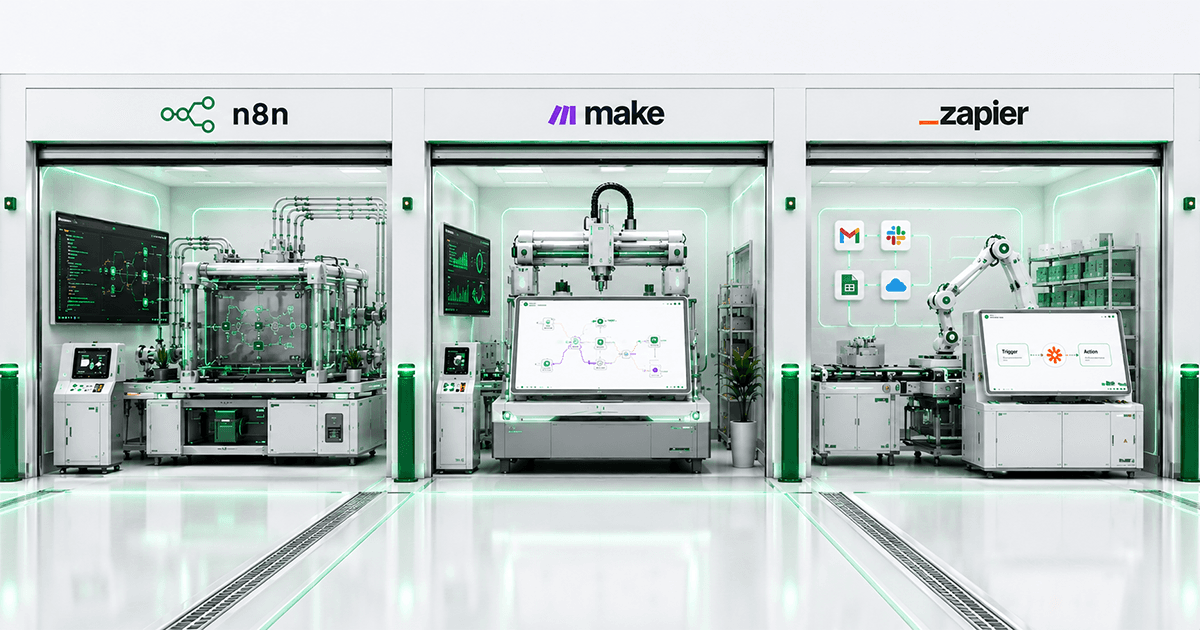
Tools such as Zapier, Make and n8n can be extremely useful.
But buying access to an automation platform does not automatically give a business an automation strategy.
A workflow tool is infrastructure. The real work is deciding:
- What event begins the process?
- Which system owns the correct information?
- Which rules determine the next action?
- What happens if information is missing?
- What happens if two systems disagree?
- Which actions can happen automatically?
- Which actions require approval?
- How should failed operations be recovered?
- What should employees see?
- What should management measure?
A five-node workflow may solve all of this for a simple process. A complex operation may require a custom application.
The right architecture depends on the business rather than the popularity of a particular tool.
Where Small Businesses Usually Find Their First Automation Opportunity
You do not need to analyse every department. Look for sentences that begin with:
“Every time this happens, somebody has to…”
That sentence usually points toward an automation opportunity. For example:
“Every time we receive an order, somebody has to enter it into the old system.” “Every time a customer signs, somebody has to create five different records.” “Every time a job finishes, somebody has to tell accounts.”
“Every Monday, somebody has to combine these reports.”
“Every time a document arrives, somebody has to read it and type the information into our software.” Those are much stronger starting points than a vague objective such as “we want to use AI.”
Start with the operational friction.
Choose technology afterwards.
Sales Operations
Sales automation does not have to mean sending robotic emails to every lead. Often the most useful automation happens behind the salesperson.
Software can:
- Create leads from incoming enquiries
- Identify duplicate contacts
- Assign leads using territory or service rules
- Create follow-up tasks
- Track response deadlines
- Update pipeline information
- Generate internal alerts
- Prepare proposal information
- Synchronise customer details
- Surface stalled opportunities
The salesperson still communicates with the customer.
The system simply ensures the surrounding administration does not consume the salesperson’s day.
Customer Onboarding
Onboarding tends to become more complicated as a business grows. A new customer might require:
- Contact information
- Documents
- Agreement acceptance
- Internal approval
- Payment setup
- CRM creation
- Project creation
- User access
- Welcome communication
- Staff notification
If those steps live inside emails and employee memory, missed actions are almost inevitable. Automation can treat onboarding as one connected process.
A completed action becomes the trigger for the next appropriate action. Exceptions can still be sent to employees.
The difference is that employees no longer have to remember the entire chain.
Finance Administration
Finance is full of repetitive coordination.
A completed job may need to become an invoice. A received invoice may need approval.
A payment may need to update another system. An overdue balance may need a reminder.
A month-end report may require information from several sources.
Instead of replacing the accounting platform, businesses can often build integrations around it. For example:
completed job → validation → invoice draft → approval → Xero → CRM update
This is often more practical than asking employees to continuously re-enter the same information. For broader automation pricing considerations, see AI automation cost in Australia.
Documents and Data Entry
Documents remain one of the largest sources of repetitive manual work. Businesses receive:
- invoices
- forms
- purchase orders
- statements
- application documents
- contracts
- service records
- PDFs from suppliers
Employees often open these files because information trapped inside them needs to be moved somewhere else.
Modern document workflows can extract the required fields, validate them and send uncertain results for human review.
This is a useful example of where AI can support automation without giving AI uncontrolled authority. A system can say:
“I am confident about these fields. I am uncertain about this one. Please review it.”
That is often more useful than either fully manual processing or pretending every case can safely be automated.
Reporting Without the Weekly Spreadsheet Ritual
Many businesses have a spreadsheet that exists because no single operational platform provides the complete view management needs.
Someone exports data from one platform. Another file comes from accounting.
A third source contains customer information. The employee combines everything manually. The report is finally distributed.
Then the process begins again next week. A reporting layer can remove that cycle.
Information can be synchronised automatically into a central reporting source and presented through dashboards.
Managers receive current information.
Employees stop spending hours rebuilding the same spreadsheet.
The original operational applications can remain exactly where they are.
When Standard Workflow Automation Is Enough
Custom software should not be the default answer.
If a straightforward solution can solve the problem reliably, use it.
Standard workflow automation is often enough when:.
- The applications already have stable APIs.
- The process has a clear beginning and end.
- There are relatively few exceptions.
- Employees are happy using the existing interfaces.
- The workflow mostly moves information.
- Business rules are easy to describe.
- The volume is manageable.
- Standard integrations already exist.
An example could be:
New HubSpot deal → create project → notify Slack → create accounting customer
There may be no reason to develop a new application around that.
A lightweight integration is cheaper, easier to maintain and faster to change.
When Custom Software Becomes the Better Option
The picture changes when the business process itself has become specialised. This often happens as a company grows.
The software available on the market handles 70% of the requirement.
The remaining 30% contains the operational logic that makes the company different.
Trying to squeeze that 30% into generic platforms can create increasingly awkward workarounds.
That is custom custom business process automation software becomes worth evaluating.
Your Team Needs One Operational Workspace
Sometimes the biggest problem is not missing automation. It is fragmentation.
An employee may need:
CRM for customer information. Email for communication.
A spreadsheet for calculations. Another system for jobs.
A separate dashboard for reporting. Accounting software for payments.
Theoretically, all the required information exists. Practically, employees spend their day hunting for it.
A custom internal platform can provide one operational interface while existing systems continue working underneath.
The employee sees the business process.
The integrations handle the software landscape.
Your Rules Do Not Fit Generic Automation
Every company eventually develops rules that make sense only inside that company. For example:
- A request may follow one route for a particular service. A different route may apply above a financial threshold.
- Another approval may be required for a particular customer class.
- One region may have different handling requirements.
- A customer with an existing contract may bypass several steps.
Trying to represent all of this using dozens of disconnected automation branches can become difficult to understand and dangerous to modify.
Custom software can turn those rules into a maintainable part of the application.
Your Old Software Still Runs Something Important
Many Australian businesses depend on systems that were never designed for modern integrations. Replacing them can be risky.
Ignoring them prevents further automation. There is a third option.
A custom integration layer can sit around the legacy platform and allow newer systems to communicate with it.
That may involve:
- API wrappers
- controlled database connections
- scheduled file processing
- middleware
- event queues
- monitored interface automation
The business keeps the part that still works while modernising the surrounding process.
The full strategy is covered in our guide to modernising legacy systems without replacing them. Mintodes also provides legacy system automation for businesses facing this exact problem.
Your Approval Process Needs More Than Email
Automation becomes more valuable when it can support human decisions instead of trying to eliminate them.
Imagine a pricing approval process.
A request enters the system.
Rules determine whether normal pricing applies. Most requests pass automatically.
An unusual discount is routed to a manager. The manager sees:
customer deal value
requested discount margin impact salesperson explanation supporting documents
They approve or reject it. The decision is logged.
The downstream systems update accordingly.
This is not simply a Zap firing from one application to another. It is a small operational product.
Custom software becomes useful because the business needs a purpose-built experience around the decision.
AI Has a Role — But It Should Not Be Everywhere
The current excitement around AI makes it tempting to place an AI model inside every workflow. That is rarely necessary.
If a process can be solved with:
if status = approved → send invoice
then a conventional rule is better. It is cheaper.
It is predictable. It is easier to test.
AI becomes valuable when the input is less structured. For example:
- Understanding an email request
- Extracting information from documents
- Categorising customer messages
- Matching descriptions that are written differently
- Summarising long case histories
- Searching internal knowledge
- Assisting employees with complex information
A sensible AI business automation architecture uses deterministic software for predictable operations and AI where interpretation is genuinely required.AI business automation architecture uses deterministic software for predictable operations and AI where interpretation is genuinely required.
That creates a more reliable system than forcing AI into every decision.
How to Decide What to Automate First
Do not rank ideas by how impressive they sound. Rank them by business impact.
For each process, estimate four things.
Frequency?
How often does it happen?
Manual effort?
How much employee time does each occurrence consume?
Failure cost
What happens when the process is delayed or performed incorrectly?
Automation feasibility?
Can the rules and required information actually be accessed?
A process taking eight minutes but occurring 1,500 times each month may be far more valuable to automate than a complex three-hour task that happens once per quarter.
Automation economics are driven by repetition.
Measure the Current Process Before Changing It
If you cannot describe the current state, you will struggle to prove the new system improved anything. Record:
- transactions per week
- average processing time
- number of employees involved
- waiting time
- error rate
- rework
- missed follow-ups
- software subscriptions involved
Suppose a process consumes 45 staff hours each week.
After automation it requires 10 hours of review and exception handling. The result is tangible.
You saved approximately 35 hours of recurring operational work. That is much easier to evaluate than saying:
“The new system feels more efficient.”
Design Failure Before You Design Success
Automation diagrams often describe only the perfect scenario. Real operations are not perfect.
Customers submit missing information. APIs time out.
Employees make mistakes.
Two records refer to the same person. A supplier changes a file format.
A third-party service becomes unavailable. Before putting automation into production, ask:
What happens when this step fails?
A reliable system may:
retry automatically → move the item into an exception queue → notify the correct employee → preserve the original data → prevent duplicate processing → log the failure → allow safe recovery
A process that works 99% of the time but silently loses the remaining 1% can become a serious operational problem.
Reliability is part of automation.
It is not something added afterwards.
Avoid the “One More SaaS Tool” Trap
Buying software is often cheaper than building it.
That does not mean adding software endlessly remains cheap. Imagine a business paying separately for:
- CRM
- forms
- scheduling
- reporting
- document processing
- approvals
- automation
- internal database
- customer portal
Now add the employee time required to maintain the relationships between them. The relevant comparison changes.
Instead of asking:
“What does custom software cost?”
ask:
“What does our complete current operating system cost us?”
Include:
- subscription fees
- integration fees
- administration
- manual work
- duplicated data
- training
- reporting effort
- mistakes
- limitations imposed by the tools
Sometimes SaaS still wins easily.
Sometimes custom software becomes economically reasonable.
The point is to compare complete systems rather than individual monthly subscriptions.
A Practical Automation Architecture
A custom process automation solution might look something like this:
Customer / Employee Interface ↓ Business Application ↓ Rules + Permissions + Workflow Logic ↓ Integration Layer ↓ CRM | Accounting | Legacy System | Documents | Payments | Notifications
AI can be introduced only where the workflow contains information that requires interpretation. This separation matters.
It prevents the entire operation from becoming dependent on one technology.
It also makes the system easier to test and maintain.
What You Should Keep Human
Not every process improvement ends with full automation. Keep a person involved when:
- Financial consequences are significant
- Legal or contractual judgement is required
- Customer circumstances are unusual
- Information is ambiguous
- Exceptions are rare but important
- The process depends heavily on negotiation
- The automation cost exceeds the value
- The rules cannot be clearly defined
The best outcome is often human + automation, not human versus automation.
Software handles repetition.
People handle responsibility, judgement and relationships.
A Sensible Starting Process
If you are unsure where to begin, walk through your business and find the process that causes employees to say:
“There has to be a better way to do this.”
Then map it.
Write:
- What starts the process?
- What information is required?
- Which systems are touched?
- Which steps are repetitive?
- Which decisions follow clear rules?
- Which decisions need a person?
- What commonly goes wrong?
- What would a successful result look like?
That document is far more valuable at the beginning of an automation project than choosing a technology stack.
The technology should be selected to solve the process.
The process should not be redesigned simply to justify the technology.
Business Process Automation Australia: Frequently Asked Questions
What is business process automation?
Business process automation uses software to coordinate repeatable operational steps, move information between applications and apply defined business rules with less manual intervention.
Can a small Australian business use process automation?
Yes. Small businesses can benefit significantly because repetitive administration consumes a meaningful share of a smaller team’s capacity. Starting with one high-frequency process is usually more practical than attempting company-wide automation immediately.
Which business processes can be automated?
Common opportunities include customer onboarding, lead routing, invoice processing, approvals, document handling, CRM updates, reporting, order processing and internal notifications.
Is business process automation the same as workflow automation?
They overlap, but workflow automation usually refers to a defined sequence of actions. Business process automation can cover a wider operational process containing several workflows, systems, departments and approval points.
Do we need custom software to automate our business?
Not necessarily. Existing software features or workflow platforms may solve straightforward requirements. Custom software becomes more appropriate when the business requires specialised rules, its own interface, legacy-system integration, complex permissions or functionality unavailable in standard applications.
Can our existing software stay in place?
Often, yes. Existing systems can frequently be connected through APIs, middleware, database integrations or other controlled interfaces rather than being replaced.
Where should a business start with automation?
Start with a repetitive process that occurs frequently, consumes measurable employee time and follows understandable rules. Document the current workflow before deciding how it should be automated.
Can AI automate business processes?
AI can support processes containing unstructured information such as emails, documents or written requests. Conventional software rules should still be used for predictable actions where AI provides no meaningful advantage.
What happens when an automated process fails?
Production automation should include validation, logs, retries, exception handling and employee alerts. A failed transaction should become visible and recoverable rather than disappearing silently.
How much does custom business process automation cost?
Cost depends on workflow complexity, integrations, user interfaces, data requirements, permissions, AI components and existing systems. A focused workflow integration and a custom operational platform are fundamentally different projects and should be estimated separately.
Your Employees Should Run the Business — Not Carry Data Between Applications
The clearest sign that a business needs better automation is not that employees are working slowly.
It is that capable people are spending their time performing work that software could coordinate reliably. Copying records.
Checking statuses. Moving files.
Sending reminders. Rebuilding reports.
Re-entering information.
Updating multiple systems after the same event. Those activities may be necessary today.
They do not have to remain necessary.
A strong business process automation strategy begins by understanding how the business actually works.
Then you use the simplest technology capable of removing the friction. Sometimes that is an existing feature.
Sometimes it is a workflow integration. Sometimes it is AI.
And sometimes the business has grown beyond what generic software can comfortably support. That is when building a system around your own operation becomes worth considering.
Mintodes develops custom AI and software solutions for businesses that have outgrown off-the-shelf workflows.
Instead of forcing your operation into another generic platform, we can design the missing software around the process your business already depends on.
Book a free automation audit and identify the first process worth fixing.