Most businesses do not need another list of AI tools.
They need to know:
What work can AI actually take off our plate?
That is a much more useful question.
AI automation becomes valuable when it moves beyond generating text and becomes part of a real business process.
For example:
Customer enquiry
↓
AI understands request
↓
Customer record retrieved
↓
Relevant information collected
↓
Response prepared
↓
Human approval if needed
↓
CRM updated
That is an AI workflow.
Modern AI systems can combine language models with:
- business rules;
- APIs;
- databases;
- CRM systems;
- document processing;
- email;
- calendars;
- accounting software;
- human approvals.
The result is not simply an AI assistant.
It is a connected business process.
Here are 25 practical AI workflows businesses can automate in 2026, along with where AI fits, where traditional automation should remain, and where humans should stay involved.
What Is an AI Workflow?
An AI workflow is a business process where artificial intelligence performs one or more tasks within a larger sequence.
For example:
Email received
↓
AI classifies email
↓
AI extracts customer information
↓
Software checks CRM
↓
AI drafts response
↓
Employee approves
↓
Email sent
↓
CRM updated
Notice that AI does not necessarily control every step.
The strongest workflows often combine:
AI
traditional automation
business rules
human judgement
The objective is not to put AI everywhere.
It is to use AI where it improves the process.
Sales AI Workflows
Sales teams spend enormous amounts of time on activities surrounding actual selling.
AI can reduce some of that administrative work.
1. Inbound Lead Qualification
Instead of sending every enquiry directly to a salesperson:
Lead enters website
↓
AI extracts requirements
↓
Company information collected
↓
Qualification rules applied
↓
Lead scored
↓
CRM updated
↓
Correct salesperson notified
The agent might evaluate:
- company size;
- industry;
- location;
- service required;
- urgency;
- budget;
- purchase intent.
High-value opportunities can immediately reach sales.
Low-priority enquiries can enter automated nurture.
Best KPI
Qualified opportunities created
rather than simply:
Leads processed.
2. Lead Research and Enrichment
Salespeople often research prospects manually.
An AI workflow can help collect and structure relevant information.
New CRM lead
↓
Research company
↓
Identify industry
↓
Extract relevant public information
↓
Summarise company
↓
Add structured information to CRM
Instead of opening ten browser tabs, the salesperson receives a prepared account summary.
Human verification should remain important where research affects significant decisions.
3. Personalised Sales Outreach
Generic automated outreach performs poorly because everyone receives essentially the same message.
AI can create more contextual drafts.
Prospect
↓
CRM context
↓
Company research
↓
Relevant pain point
↓
Personalised draft
↓
Approval or automated sending
The goal is not to generate fake familiarity.
It is to make legitimate business outreach more relevant.
4. Sales Follow-Up Automation
A huge number of opportunities disappear because follow-up stops.
A workflow can monitor CRM activity.
For example:
Proposal sent
↓
No response for 3 days?
↓
AI prepares follow-up
↓
No response for 7 days?
↓
Second follow-up
↓
High-value opportunity?
↓
Notify salesperson
AI can draft messages while deterministic software controls timing.
5. Meeting Preparation
Before a sales meeting:
Calendar event detected
↓
Retrieve CRM history
↓
Research company
↓
Review previous emails
↓
Summarise opportunity
↓
Create meeting brief
The salesperson receives:
- company overview;
- contact history;
- open questions;
- opportunity value;
- previous objections;
- suggested talking points.
This is a strong example of AI supporting employees rather than replacing them.
Customer Service AI Workflows
6. Support Ticket Classification
Support requests can automatically be classified by:
- issue type;
- urgency;
- product;
- sentiment;
- customer tier.
Workflow:
Ticket
↓
AI classification
↓
Priority
↓
Correct queue
↓
Support employee
This is often safer and easier to implement than attempting fully autonomous customer support immediately.
7. Customer Support Response Drafting
Instead of automatically sending responses:
Customer question
↓
Retrieve knowledge
↓
Retrieve customer context
↓
AI drafts response
↓
Employee reviews
↓
Send
This human-in-the-loop architecture can accelerate support while maintaining control.
8. Customer Support Resolution Agent
For lower-risk requests, the workflow can go further.
Example:
Customer asks order status
↓
Authenticate customer
↓
Retrieve order
↓
Check shipping status
↓
Generate response
↓
Send
The AI understands the request.
The underlying system provides the factual information.
9. Complaint Escalation
AI can identify messages that require urgent human attention.
For example:
Incoming complaint
↓
AI analyses issue
↓
High risk?
↓
Escalate to senior employee
Signals might include:
- repeated complaints;
- legal language;
- cancellation intent;
- severe dissatisfaction;
- safety concerns;
- high-value customer.
AI should support escalation rather than make consequential decisions independently.
Document AI Workflows
10. Invoice Data Extraction
Manual invoice processing often involves:
- opening documents;
- finding fields;
- copying values;
- checking supplier information;
- entering data.
An AI workflow could be:
Invoice received
↓
Document classified
↓
Fields extracted
↓
Supplier checked
↓
Values validated
↓
Human reviews exception
↓
Accounting system updated
This can dramatically reduce repetitive data entry.
11. Contract Information Extraction
Businesses may receive hundreds or thousands of contracts.
AI can extract structured information such as:
- parties;
- dates;
- renewal periods;
- payment terms;
- termination clauses;
- obligations.
Workflow:
Contract uploaded
↓
AI extracts required fields
↓
Validation
↓
Structured database
↓
Employee review
This does not replace legal judgement.
It can reduce the administrative work surrounding contracts.
12. Document Classification and Routing
Imagine an inbox receives:
- invoices;
- purchase orders;
- contracts;
- resumes;
- customer forms;
- reports.
Instead of manually sorting them:
Document
↓
AI classification
↓
Correct workflow
↓
Correct team/system
Businesses with high document volumes can explore document processing automation.
Finance AI Workflows
13. Accounts Payable Processing
An accounts-payable workflow might involve:
Invoice
↓
Extract supplier
↓
Extract amount
↓
Check purchase order
↓
Check duplicate
↓
Validate values
↓
Approval
↓
Accounting system
The important point is that AI does not need authority to transfer money.
AI can prepare the transaction.
Humans or deterministic approval rules can retain financial authority.
14. Expense Categorisation
Employees submit:
- receipts;
- invoices;
- descriptions.
AI can help:
Read receipt
↓
Extract amount
↓
Identify merchant
↓
Suggest category
↓
Check policy
↓
Human reviews exception
This can reduce repetitive bookkeeping.
15. Financial Report Commentary
Finance teams often produce recurring reports.
AI can help transform structured financial data into preliminary commentary.
For example:
Monthly financial data
↓
Variance calculation
↓
AI analyses major changes
↓
Draft management commentary
↓
Finance team reviews
The AI should not invent financial explanations.
Its analysis should be grounded in verified business data.
Operations AI Workflows
16. Shared Inbox Automation
Many businesses have inboxes such as:
sales@
support@
accounts@
orders@
AI can help process them.
Email received
↓
Classify
↓
Extract key information
↓
Determine workflow
↓
Create task
↓
Draft response
↓
Update system
This can turn email from an unstructured communication channel into structured operational data.
17. Order Exception Management
Most normal orders may already be automated.
The real workload often comes from exceptions.
For example:
- missing address;
- unavailable item;
- incorrect quantity;
- payment issue;
- delivery failure.
AI can analyse the exception and gather the information an employee needs.
Exception
↓
AI identifies issue
↓
Retrieve order
↓
Retrieve policy
↓
Recommend next action
↓
Employee approves if required
This is often more valuable than trying to replace the entire order-management system.
18. SOP Assistant
Businesses have procedures scattered across:
- PDFs;
- Google Drive;
- SharePoint;
- internal wikis;
- manuals.
An internal AI assistant can provide:
Employee question
↓
Search approved company knowledge
↓
Retrieve relevant procedure
↓
Generate grounded answer
↓
Provide source
This can reduce time spent searching internal documentation.
19. Operations Exception Detection
AI can help identify unusual records or events.
For example:
- abnormal order;
- unusual customer request;
- missing information;
- inconsistent document;
- unexpected workflow behaviour.
The system can route unusual cases to people rather than trying to automate them blindly.
CRM AI Workflows
20. Automatic CRM Data Entry
Salespeople frequently dislike CRM administration.
After a meeting:
Transcript or notes
↓
AI extracts
- participants;
- requirements;
- objections;
- next steps;
- timeline.
↓
CRM fields updated
↓
Follow-up task created
This improves CRM quality without requiring the salesperson to manually type everything.
21. CRM Pipeline Hygiene
CRMs often contain:
- stale opportunities;
- missing fields;
- duplicate contacts;
- outdated stages;
- forgotten tasks.
AI can periodically analyse pipeline records.
CRM records
↓
Identify anomalies
↓
Suggest corrections
↓
Sales operations review
↓
Update
For appropriate low-risk fields, some updates may be automated.
Explore CRM and sales automation for related workflows.
HR AI Workflows
22. Employee Onboarding
New employees require repetitive coordination.
Workflow:
New employee created
↓
Generate onboarding checklist
↓
Create accounts
↓
Send approved information
↓
Assign training
↓
Schedule meetings
↓
Track completion
AI can personalise information while traditional automation handles deterministic tasks.
Sensitive employment decisions should remain appropriately controlled.
23. Internal HR Question Assistant
Employees repeatedly ask:
- How much leave do I have?
- Where is the expense policy?
- How do I request equipment?
- What is the travel process?
- Where is the parental leave policy?
An AI assistant can retrieve approved policies and explain them.
For personalised information, it can use authenticated HR-system tools with appropriate access controls.
Reporting and Management AI Workflows
24. Automated Management Reporting
Managers often spend hours gathering information from:
- CRM;
- accounting;
- project management;
- support;
- spreadsheets.
A workflow can:
Collect verified data
↓
Calculate KPIs
↓
Identify notable changes
↓
AI drafts summary
↓
Manager reviews
↓
Report distributed
AI should interpret the data.
Ordinary software should calculate critical metrics where possible.
25. Executive Morning Briefing
A powerful cross-business workflow could create a daily briefing.
For example:
Every morning
↓
Sales pipeline
Cash position
Support issues
Operational alerts
Project status
↓
AI prioritises important changes
↓
Executive briefing
Instead of checking six dashboards, leadership receives:
Revenue
What changed?
Sales
Which opportunities require attention?
Customers
Any major issues?
Operations
Any failures or delays?
Finance
Anything unusual?
Priorities
What requires action today?
This is where AI becomes an information layer across the organisation.
Bonus Workflow: AI Agent Orchestration
Some complex workflows can involve multiple specialist agents.
For example:
Supervisor Agent
↓
Research Agent
↓
CRM Agent
↓
Analysis Agent
↓
Communication Agent
However, multiple agents should only be introduced when the workflow genuinely requires them.
Our multi agent systems guide explains when this architecture makes sense.
Which AI Workflow Should You Automate First?
Do not choose based on what looks coolest.
Score each workflow against:
Volume
How often does the task happen?
Time
How many employee hours does it consume?
Cost
What does the process currently cost?
Repetition
How repetitive is it?
Error Rate
How frequently do mistakes occur?
Error Impact
How expensive are mistakes?
Data Availability
Can AI access the information required?
Integration Feasibility
Can relevant systems connect?
Business Value
What happens if the process improves?
A high-volume boring workflow may be a much better AI investment than an impressive but rarely used chatbot.
The Best First AI Workflows
Strong first candidates often have:
High volume
High repetition
Digital inputs
Clear outputs
Measurable value
For example:
“Our team processes 4,000 customer documents every month.”
is usually a better automation target than:
“We want AI because our competitors have AI.”
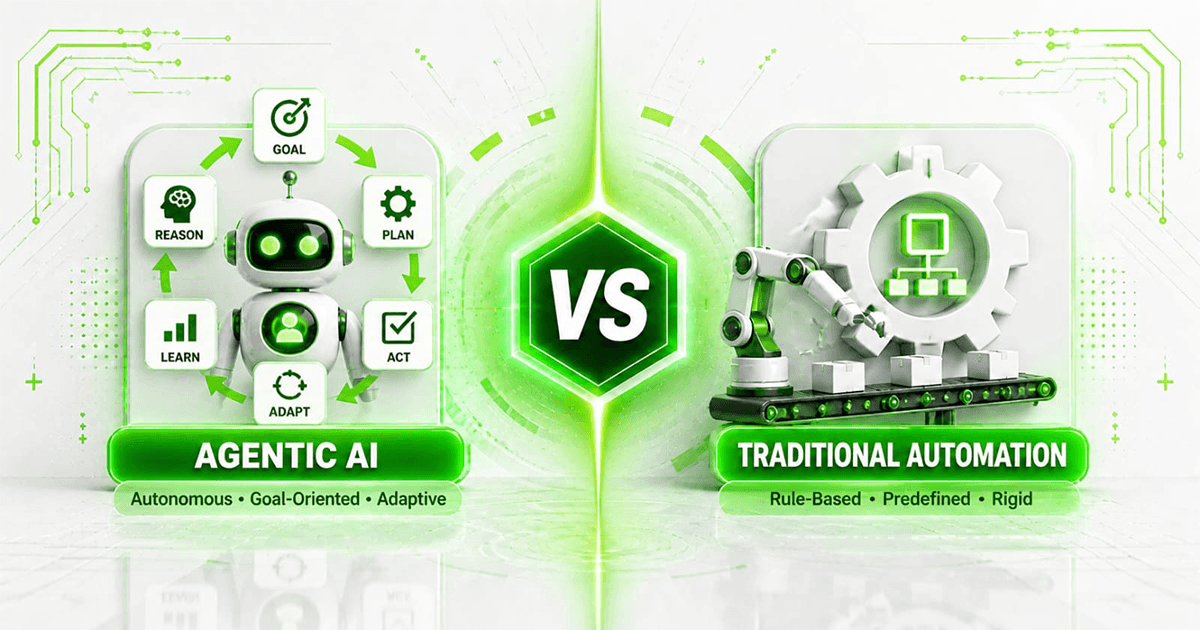
AI Workflow vs Traditional Automation
Not every workflow needs artificial intelligence.
Suppose your rule is:
If invoice amount exceeds A$10,000, send it to a manager.
Traditional automation handles that perfectly.
Now suppose the requirement is:
Read the invoice, understand what was purchased, compare it with a contract and identify unusual terms.
AI becomes more useful.
The best systems combine both.
AI Workflow Architecture
A production workflow might look like:
Trigger
↓
Input Validation
↓
AI Understanding
↓
Business Data Retrieval
↓
AI Decision Support
↓
Deterministic Rules
↓
Human Approval
↓
Action
↓
Audit Log
↓
Monitoring
This is much safer than simply giving an AI model unrestricted access to business software.
Human in the Loop
Some workflows should keep humans involved.
Three useful patterns are:
AI Assists
AI prepares the work.
Human performs the action.
AI Acts With Approval
AI prepares an action.
Human approves it.
AI Acts and Humans Monitor
AI handles low-risk routine cases.
Humans review exceptions and monitoring.
The right pattern depends on consequence.
A marketing draft and a A$100,000 payment should not have the same autonomy level.
How Much Can AI Workflow Automation Save?
There is no universal answer.
Calculate it from your existing process.
Suppose employees spend:
400 hours per month
on a workflow.
AI reduces human involvement to:
120 hours.
Capacity released:
280 hours per month.
But do not automatically label all 280 hours as cash savings.
Determine what happens to the capacity.
Does it:
- reduce overtime?
- avoid hiring?
- increase output?
- increase revenue?
- reduce backlog?
- improve customer response?
Then measure that value.
Our AI automation ROI guide provides a full calculation framework.
How Much Does an AI Workflow Cost?
Costs depend on:
- complexity;
- integrations;
- volume;
- models;
- security;
- data;
- interface;
- monitoring;
- maintenance.
A simple workflow might use:
Automation Platform
LLM API
CRM
A complex workflow might require:
Custom Application
Agent
RAG
Database
Six Integrations
Human Approval
Monitoring
For budgeting guidance, see AI agent cost in Australia.
How to Implement an AI Workflow
Use a structured process.
Step 1
Map the existing workflow.
Step 2
Identify the bottleneck.
Step 3
Measure the current baseline.
Step 4
Identify where AI adds value.
Step 5
Keep deterministic steps deterministic.
Step 6
Define human responsibilities.
Step 7
Build a small version.
Step 8
Test edge cases.
Step 9
Measure results.
Step 10
Scale only after proving value.
AI Workflow Security
Once AI can act across business systems, security becomes critical.
Consider:
- authentication;
- permissions;
- tool access;
- data exposure;
- prompt injection;
- API credentials;
- logging;
- approval thresholds.
A useful principle is:
Give the AI the minimum authority required to complete the task.
For example, a sales agent that needs to create CRM leads probably does not need permission to delete the entire CRM database.
Read AI agent security before deploying high-authority agents.
Should You Build or Buy?
Some of these workflows already have excellent SaaS products.
Others may require custom development.
Before building, ask:
Does an existing product already solve 80–90% of this problem?
If yes, buying may be more economical.
If your workflow depends on:
- proprietary rules;
- several internal systems;
- unusual processes;
- deep integration;
custom development becomes more attractive.
See build vs buy AI agents for the complete framework.
Building AI Workflows With Mintodes
Mintodes designs AI automation systems around real business processes.
Depending on the problem, a workflow can combine:
- AI agents;
- workflow automation;
- APIs;
- CRM integrations;
- document processing;
- RAG;
- databases;
- human approvals;
- structured outputs;
- monitoring.
Businesses requiring autonomous or semi-autonomous systems can explore AI agent development.
The starting point should not be:
“Which AI tool should we buy?”
It should be:
“Which business process is costing us the most time, money or capacity?”
Solve that first.
Frequently Asked Questions
What is an AI workflow?
An AI workflow is a business process where artificial intelligence performs one or more tasks as part of a larger sequence involving software, data or people.
What business processes can AI automate?
Examples include lead qualification, support triage, document extraction, CRM administration, invoice processing, reporting and internal knowledge retrieval.
Can AI automate an entire business process?
Sometimes, but full autonomy is not always appropriate. Many workflows benefit from AI handling routine work while people manage approvals and exceptions.
What is the easiest AI workflow to automate?
The easiest workflows generally have digital inputs, clear outputs, high repetition and limited exceptions.
Can AI update a CRM?
Yes, an appropriately designed AI system can interact with CRM APIs to create or update authorised records.
Can AI process invoices?
AI can help classify invoices, extract information and identify anomalies, while deterministic rules and human approvals can control financial actions.
Can AI answer customer support questions?
Yes. AI can retrieve relevant knowledge, draft responses and, in suitable low-risk cases, provide responses automatically.
Should AI make financial decisions automatically?
High-impact financial actions generally require strong controls and may require human approval.
Do AI workflows need AI agents?
Not always. Some workflows can use a single AI model call combined with traditional automation.
Are multi-agent systems necessary?
Only for workflows where specialisation or coordination between agents creates meaningful value.
How do you measure AI workflow ROI?
Measure implementation and operating costs against outcomes such as avoided labour, increased capacity, reduced errors, avoided hiring and additional gross profit.
How should a business start with AI automation?
Start with one clearly defined, measurable workflow, test it with real data and scale after demonstrating value.
Final Thoughts
The biggest AI opportunity for most businesses is not:
“Use AI everywhere.”
It is:
Find repetitive, expensive or slow workflows and redesign them intelligently.
That could mean automatically qualifying leads.
Processing invoices.
Preparing meetings.
Triaging customer support.
Extracting documents.
Maintaining the CRM.
Producing management reports.
Or giving leadership a daily operational briefing.
Some workflows need a sophisticated AI agent.
Some need a small model connected to an API.
Some need traditional automation.
And some should remain human.
The strongest businesses will not automate the most processes.
They will automate the right processes.
Start with one workflow.
Measure it.
Improve it.
Prove the value.
Then expand.