Your finance team receives 800 supplier invoices every month.
Some arrive as PDFs. Others come through email, supplier portals, scanned documents or shared folders. Each invoice needs to be checked, coded, approved and entered into the accounting system.
When something doesn't match, someone has to investigate.
A supplier might send the same invoice twice. A purchase order may show a different amount. A delivery might be incomplete. The GST calculation might need review.
For many Australian businesses, accounts payable is not just a data-entry problem. It is a series of disconnected tasks involving suppliers, purchasing teams, finance staff and approvers.
AI accounts payable automation can reduce that administrative workload by extracting invoice information, validating transactions, identifying exceptions and moving approved information between systems.
But the most valuable automation is not necessarily the one that processes the highest number of invoices without human involvement.
It is the one that processes routine invoices accurately while identifying the transactions that require attention.
This guide explains how AI accounts payable automation works, what it costs, how it integrates with Xero and MYOB, how to calculate return on investment and what Australian businesses should consider before implementation.
What Is AI Accounts Payable Automation?
AI accounts payable automation uses software to assist with the processes involved in receiving, validating, approving and recording supplier invoices.
A typical accounts payable process includes:
- Receiving supplier invoices.
- Extracting invoice information.
- Identifying the correct supplier.
- Checking for duplicate invoices.
- Matching invoices with purchase orders.
- Reviewing GST and accounting information.
- Obtaining approval.
- Preparing bills in the accounting system.
- Preparing payments.
- Reconciling transactions and maintaining records.
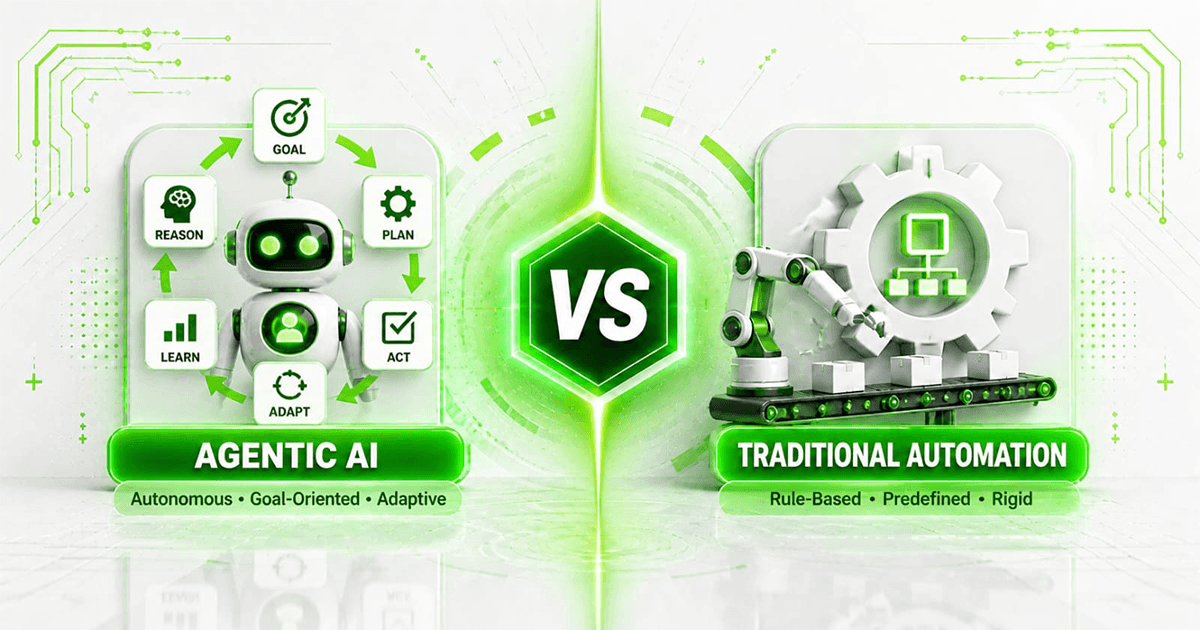
Traditional automation relies mainly on predefined rules.
AI can help interpret unstructured documents and identify information that does not follow a consistent format.
For example, two suppliers may use completely different invoice layouts.
A traditional template-based extraction system might require a separate configuration for each format.
A modern document-processing system can attempt to identify invoice fields across different layouts.
However, AI extraction and accounting validation are not the same thing.
A reliable AP workflow combines AI interpretation with deterministic checks, appropriate approvals and accounting controls.
How AI Accounts Payable Automation Works
A production workflow can follow this structure:
Supplier invoice received
↓
Document captured and classified
↓
AI extracts invoice fields
↓
Supplier identity verified
↓
Duplicate invoice check
↓
Purchase order and receipt matching
↓
GST and account coding validation
↓
Approval or exception review
↓
Draft bill created in Xero or MYOB
↓
Authorised payment preparation
↓
Reconciliation and audit trail
The specific process depends on the business.
A professional services company may not use purchase orders for every expense.
A manufacturing company may require detailed matching between purchase orders, deliveries and supplier invoices.
The system should reflect the actual purchasing process rather than forcing every business into the same workflow.
AI Accounts Payable vs Traditional AP Automation
Traditional AP automation and AI-assisted AP automation overlap, but there are important differences.
| Capability | Traditional AP automation | AI-assisted AP automation |
|---|---|---|
| Capture emailed invoices | Yes | Yes |
| Process fixed document templates | Strong fit | Strong fit |
| Extract unfamiliar invoice layouts | May require configuration | Can be more flexible |
| Apply predefined approval rules | Yes | Yes |
| Check invoice calculations | Yes | Yes |
| Interpret unstructured descriptions | Limited | Can assist |
| Identify unusual document patterns | Rule-dependent | Can assist |
| Determine final accounting treatment | Requires controls | Still requires controls |
| Authorise payments independently | Not recommended without strong controls | Not recommended without strong controls |
The strongest systems often combine both approaches.
AI handles interpretation.
Rules handle calculations, permissions and defined financial policies.
Humans handle exceptions and consequential approvals.
10 Accounts Payable Tasks AI Can Automate
1. Supplier invoice capture
Invoices can enter the workflow through approved email addresses, document folders or upload portals.
This removes the need for employees to manually download every attachment.
2. Document classification
The system identifies whether a file is an invoice, credit note, statement, receipt or unrelated document.
Classification prevents supplier statements from accidentally becoming payable bills.
3. Invoice data extraction
OCR and AI can extract fields such as:
- Supplier name.
- ABN where available.
- Invoice number.
- Invoice date.
- Due date.
- Purchase order number.
- Line items.
- Subtotal.
- GST.
- Total amount.
4. Supplier matching
The extracted supplier information is compared with approved accounting records.
Ambiguous matches should be flagged for review.
5. Duplicate detection
The workflow checks whether the same invoice may already exist.
6. Purchase order matching
Invoice details are compared with approved purchase orders.
7. GST validation
Extracted tax amounts are checked against calculations and approved accounting rules.
8. Account coding assistance
The system can suggest account codes based on supplier history, purchasing information and business rules.
9. Approval routing
Invoices are sent to the appropriate manager according to the organisation's approval policy.
10. Exception reporting
Uncertain or failed transactions are collected in a review queue rather than silently processed.
These capabilities can reduce repetitive handling without eliminating the need for finance oversight.
AI Invoice Data Extraction Explained
Supplier invoices rarely follow one standard layout.
An invoice from an electricity provider looks different from an invoice issued by a construction subcontractor.
An AI extraction system attempts to convert those different formats into structured information.
Example invoice
Supplier: Example Office Supplies Pty Ltd
Invoice number: INV-2084
Invoice date: 12 October 2026
Subtotal: A$1,200
GST: A$120
Total: A$1,320
A structured output might contain:
{
"supplier": "Example Office Supplies Pty Ltd",
"invoice_number": "INV-2084",
"invoice_date": "2026-10-12",
"subtotal": 1200,
"gst": 120,
"total": 1320
}
But the system should not create a bill simply because the extracted fields look plausible.
It should also verify that the amounts reconcile, the supplier is correctly identified and the invoice is not already recorded.
What happens when AI is uncertain?
A well-designed workflow flags uncertain fields.
For example:
Supplier: Verified
Invoice number: Verified
GST: Requires review
Purchase order: Not found
Processing status: Human review required
This is more useful than an automation system that always produces an answer, even when the document is unclear.
For businesses dealing with scanned invoices, PDFs and inconsistent document layouts, Mintodes document processing automation focuses on extraction, validation and exception handling.
Two-Way vs Three-Way Invoice Matching
Invoice matching is one of the most important controls in accounts payable.
Two-way matching
Two-way matching compares the supplier invoice with the purchase order.
For example:
Purchase order: 20 office chairs at A$150 each
Invoice: 20 office chairs at A$150 each
The quantities and prices match.
However, the business still needs to consider whether the goods were actually received.
Three-way matching
Three-way matching compares:
- Purchase order.
- Supplier invoice.
- Goods receipt or service confirmation.
Example
A business orders 100 units at A$50 each.
Purchase order value: A$5,000
The supplier invoices 100 units.
Invoice value: A$5,000
But the warehouse confirms receiving only 80 units.
Received value: A$4,000
The invoice and purchase order agree, but the delivery record does not.
A three-way matching workflow can flag the discrepancy before the invoice proceeds.
Why AI matters
AI can help extract product descriptions and line items from invoices.
However, matching should rely on verified quantities, prices, approved tolerances and reliable business records.
The system should not approve a mismatch simply because two descriptions appear semantically similar.
Duplicate Invoice Detection
Duplicate invoices can enter the system through several channels.
A supplier might send the original invoice to two employees.
An employee may upload a document that was already processed.
A supplier may resend an invoice because payment has not yet been received.
Example duplicate check
The workflow compares:
- Supplier identifier.
- Invoice number.
- Invoice date.
- Invoice amount.
- Existing accounting records.
- Document fingerprint where useful.
A duplicate should not be identified using invoice number alone.
Different suppliers may issue invoices with the same number.
Corrected invoices
A corrected invoice may have the same reference number but different amounts.
The system should route such cases for review rather than automatically deleting or overwriting the earlier record.
Automated Invoice Approval Workflows
Approval rules should reflect the organisation's financial authority structure.
For example:
| Invoice amount | Illustrative approval requirement |
|---|---|
| Under A$1,000 | Authorised team review |
| A$1,000–A$`<!-- -->`{=html}10,000 | Department manager |
| A$10,000–A$`<!-- -->`{=html}50,000 | Finance manager |
| Above A$50,000 | Senior authorised approval |
These are hypothetical thresholds, not regulatory requirements.
The actual policy should consider invoice type, supplier risk, department, budget and existing commitments.
Why approval automation is valuable
Employees no longer need to manually chase every approver.
The system can:
- Notify the responsible person.
- Record the approval request.
- Track pending decisions.
- Escalate overdue requests.
- Preserve an audit trail.
Should AI approve supplier payments?
AI can assist with preparation and validation.
However, unrestricted payment authority introduces significant financial and fraud risks.
Mintodes' published finance automation approach explicitly keeps payment approval with a human.
For a broader discussion of oversight, read human in the loop AI.
AI Accounts Payable Automation for Xero
Xero provides bill-management and document-capture capabilities that may already meet some requirements.
A business should review its existing subscription and integrations before commissioning custom development.
Example Xero workflow
Supplier invoice received
↓
Document captured
↓
Invoice data extracted
↓
Supplier and amounts validated
↓
Draft bill prepared in Xero
↓
Approver reviews
↓
Approved payment process
↓
Bank reconciliation
When custom automation may be useful
Custom workflows become more relevant when a business needs:
- Purchase order matching across external systems.
- Specialised invoice extraction.
- Multiple approval levels.
- Project or department coding.
- Custom exception handling.
- Synchronisation with inventory or procurement software.
For a detailed Xero-specific guide, read Xero invoice automation for Australian businesses.
AI Accounts Payable Automation for MYOB
MYOB also supports accounting workflows and integration capabilities, depending on the product and configuration.
A custom AP workflow may capture supplier invoices, validate extracted information and prepare supported accounting records through an appropriate integration.
Example MYOB workflow
Invoice received
↓
Document classified
↓
Fields extracted
↓
Supplier matched
↓
GST and duplicate checks
↓
Approval obtained
↓
Bill prepared in MYOB
↓
Exceptions logged
Important technical consideration
MYOB Business, AccountRight and EXO have different technical and integration characteristics.
A provider should confirm the exact product and supported API operations before promising a particular workflow.
For more information, see MYOB automation workflows for Australian businesses.
Accounts Payable Automation Software vs Custom AI Development
Businesses generally have three implementation options.
Option 1: Use native accounting features
Xero and MYOB provide existing accounting capabilities that may reduce manual work.
This is often the first option worth evaluating.
Option 2: Use specialist AP automation software
Dedicated accounts payable products may offer:
- Invoice capture.
- Approval routing.
- Purchase order matching.
- Supplier management.
- Accounting integrations.
- Reporting.
Examples worth evaluating include Dext, ApprovalMax and other products listed through accounting software marketplaces.
Capabilities and pricing vary.
Option 3: Build custom AI automation
Custom development may be appropriate when:
- Existing products do not support required workflows.
- The business uses legacy purchasing software.
- Documents have unusual formats.
- Approval rules are highly specialised.
- Multiple systems need to exchange information.
- Data ownership or deployment requirements are important.
Comparison
| Factor | Native accounting tools | Specialist AP software | Custom AI automation |
|---|---|---|---|
| Initial complexity | Usually lower | Moderate | Potentially higher |
| Standard invoice capture | Often supported | Strong focus | Can be built |
| Complex business rules | Limited by product | Depends on provider | Highly configurable |
| External integrations | Depends on platform | Depends on connectors | Flexible within API limits |
| Maintenance responsibility | Software vendor | Software vendor | Business and development partner |
| Custom data handling | Limited | Depends on provider | More control possible |
| Best fit | Straightforward workflows | Established AP processes | Specialised requirements |
The best choice depends on the business process, not the sophistication of the technology.
How Much Does AI Accounts Payable Automation Cost?
The cost depends on invoice volume, document complexity, integrations, approval requirements and the selected software.
There is no universal Australian implementation price.
Illustrative initial implementation budgets
| Project scope | Hypothetical budget |
|---|---|
| Basic AP workflow configuration | A$500–A$`<!-- -->`{=html}2,500 |
| Invoice capture and accounting integration | A$2,500–A$`<!-- -->`{=html}8,000 |
| Custom AI extraction and approval workflow | A$8,000–A$`<!-- -->`{=html}25,000 |
| Complex multi-system AP automation | A$25,000–A$`<!-- -->`{=html}60,000+ |
These are illustrative planning ranges, not independently verified market averages or Mintodes quotations.
Actual prices require a defined scope and supplier quote.
Ongoing operating costs
Recurring expenses may include:
- Accounting software subscriptions.
- AP automation platform fees.
- OCR or document AI usage.
- Hosting.
- Integration infrastructure.
- Monitoring.
- Maintenance.
- Human exception handling.
A project with a low initial price may still have significant long-term operating costs.
What Is the Cost per Invoice?
Cost per invoice is a useful way to evaluate AP automation.
A simplified calculation is:
Total AP processing cost ÷ Number of invoices processed
For example, suppose a finance team spends A$9,000 monthly on invoice-related processing.
It handles 1,500 invoices.
Cost per invoice:
A$9,000 ÷ 1,500 = A$6
Now suppose automation reduces the total monthly processing cost to A$5,250, including the relevant software and remaining labour costs.
New cost per invoice:
A$5,250 ÷ 1,500 = A$3.50
Reduction:
A$6 - A$`<!-- -->`{=html}3.50 = A$2.50 per invoice
At 1,500 invoices monthly:
A$2.50 × 1,500 = A$3,750 monthly
Annual equivalent:
A$3,750 × 12 = A$45,000
These figures are hypothetical.
A real analysis should include exception handling, management review, support and other relevant expenses.
AI Accounts Payable Automation ROI Example
Consider a hypothetical Australian business processing 2,000 supplier invoices each month.
Before automation
Average manual handling time:
7 minutes per invoice
Monthly workload:
2,000 × 7 = 14,000 minutes
= approximately 233.3 hours
Assume a fully loaded labour cost of A$45 per hour.
Monthly labour capacity value:
233.3 × A$45 = approximately A$10,500
After automation
Suppose the average human handling time falls to 2.5 minutes per invoice, including exception review.
Monthly workload:
2,000 × 2.5 = 5,000 minutes
= approximately 83.3 hours
Capacity released:
233.3 − 83.3 = 150 hours monthly
Annual capacity released:
150 × 12 = 1,800 hours
Equivalent annual labour capacity value:
1,800 × A$45 = A$81,000
First-year financial illustration
Assume the business can realise the full A$81,000 as measurable financial benefit through avoided hiring, reduced overtime or other substantiated outcomes.
Implementation:
A$22,000
Annual software and support:
A$18,000
First-year cost:
A$40,000
ROI:
(A$81,000 - A$`<!-- -->`{=html}40,000) ÷ A$40,000 × 100
= 102.5%
This is a hypothetical scenario, not a performance guarantee.
Released employee capacity should not automatically be counted as a cash saving.
For a broader evaluation framework, read how to calculate AI automation ROI.
How to Measure AP Automation Performance
A successful implementation should improve more than processing speed.
| Metric | What it measures |
|---|---|
| Cost per invoice | Total processing efficiency |
| Average processing time | Administrative workload |
| Straight-through processing rate | Invoices completed without manual correction |
| Exception rate | Frequency of issues requiring review |
| Extraction accuracy | Reliability of captured data |
| Duplicate detection rate | Ability to identify potential duplicate bills |
| Approval cycle time | Speed of authorisation |
| Payment error rate | Financial processing reliability |
| Supplier dispute rate | Quality of invoice handling |
| Audit trail completeness | Traceability of financial actions |
Why straight-through processing can be misleading
A system that automatically processes 95% of invoices may sound impressive.
But if it posts incorrect amounts or supplier records, the automation can create substantial financial risk.
A lower straight-through processing rate with accurate exception handling may be preferable.
Accuracy and control matter more than automation percentage alone.
Australian GST and Tax Invoice Requirements
Australian businesses must consider GST and tax invoice requirements when automating supplier bills.
The Australian Taxation Office provides guidance on tax invoices, input tax credits and record-keeping.
See the ATO's official website for current requirements.
Key considerations
GST treatment varies: Not every transaction attracts 10% GST.
Invoice information matters: Tax invoices must contain relevant information for the applicable circumstances.
Supplier details matter: Incorrect supplier information may require investigation.
Record retention matters: Many business tax records must generally be kept for five years, although specific rules and exceptions apply.
BAS accuracy matters: Automated coding can affect GST reporting.
ABN checks
Businesses can use the Australian Business Register's ABN Lookup to verify publicly available registration details.
However, an ABN lookup is not a substitute for validating supplier bank-account changes or confirming that a payment request is genuine.
Tax advice and automation
AI can extract and compare tax information.
It should not independently invent GST treatment when the transaction is unclear.
Businesses should involve their accountant or registered tax professional when designing tax-sensitive workflows.
Supplier Fraud and Payment Security
Accounts payable automation must account for fraud risks.
One common concern is fraudulent supplier bank-detail changes.
For example, a business receives an email appearing to come from an established supplier.
The message requests payment to a new bank account.
An automated system should not update the supplier's payment details merely because the email looks authentic.
Recommended controls
Independent verification: Confirm sensitive bank-detail changes through an established trusted channel.
Separation of duties: Keep preparation and payment approval appropriately separated.
Restricted permissions: Limit which systems and employees can modify financial records.
Duplicate prevention: Check repeated invoices and payment requests.
Audit logging: Record important changes and approvals.
Exception escalation: Route unusual transactions to authorised staff.
Secure credentials: Protect API keys, tokens and integration accounts.
The Australian Cyber Security Centre provides guidance on protecting businesses against cyber threats and payment fraud.
Privacy and AI Data Handling
Supplier invoices may contain personal information.
For example:
- Sole trader details.
- Employee names.
- Contact information.
- Bank account details.
- Expense information.
Businesses should understand where invoice documents are processed.
If an external AI provider handles documents, review its data retention, security and processing terms.
The Office of the Australian Information Commissioner provides guidance on selecting and using commercial AI products.
Important considerations include:
- Data minimisation.
- Appropriate access controls.
- Transparency.
- Accuracy.
- Third-party processing.
- Human oversight.
- Retention and deletion practices.
Australian hosting can be helpful for some requirements, but it does not automatically establish compliance.
The entire data flow must be considered.
How to Implement AI Accounts Payable Automation
A successful project starts with the accounting process.
Step 1: Audit the existing workflow
Document how invoices arrive, who processes them and which approvals are required.
Step 2: Measure the baseline
Record:
- Monthly invoice volume.
- Average processing time.
- Error frequency.
- Approval delays.
- Exception types.
- Existing software costs.
Step 3: Review current accounting capabilities
Check whether Xero, MYOB or existing AP software already handles part of the process.
Step 4: Select the first workflow
Choose a manageable invoice category or supplier group.
Step 5: Prepare supplier and purchasing data
Clean supplier records and define reliable matching identifiers.
Step 6: Design validation rules
Specify how the system checks amounts, duplicates, tax information and purchase orders.
Step 7: Define approval responsibilities
Document which actions can be automated and which require human authorisation.
Step 8: Build and test
Test normal invoices and difficult cases.
Step 9: Run a controlled pilot
Start with limited invoice volumes and review outputs.
Step 10: Monitor and expand
Use actual performance data to decide whether broader deployment is justified.
A Practical 30-Day AP Automation Pilot
A limited pilot may be possible within four weeks if the required systems are accessible and the scope is straightforward.
| Period | Activities | Deliverable |
|---|---|---|
| Days 1–7 | Process mapping and invoice sample review | Requirements and baseline |
| Days 8–14 | Extraction and integration setup | Initial workflow |
| Days 15–21 | Validation and exception testing | Evaluation results |
| Days 22–30 | Controlled finance-team pilot | Performance report |
Complex procurement integrations and financial control requirements may extend the timeline.
The goal is to demonstrate reliable processing before scaling.
Common AI Accounts Payable Automation Mistakes
Automating without supplier data cleanup
Inconsistent supplier records create matching problems.
Trusting OCR without validation
Document extraction can produce incorrect amounts or invoice numbers.
Ignoring duplicate prevention
Repeated invoices can enter through different channels.
Automating payments without appropriate approvals
Financial authority should remain clearly controlled.
Failing to match purchase orders
An invoice may be correctly extracted but commercially incorrect.
Ignoring GST exceptions
Tax treatment requires appropriate rules and review.
Overlooking fraud controls
Supplier bank-detail changes require particular care.
Building unnecessary custom software
Existing accounting or AP products may already meet the requirement.
Skipping error monitoring
Failed integrations should create visible alerts.
Measuring only time saved
Accuracy, financial controls, exception handling and total costs are equally important.
How to Choose an AI Accounts Payable Automation Provider
Before selecting a provider, ask:
- Have you implemented production invoice-processing workflows?
- Can the system process our actual invoice formats?
- How are extraction errors identified?
- How will supplier matching work?
- How will duplicate invoices be prevented?
- Can the system perform two-way or three-way matching?
- How are GST exceptions handled?
- Which actions require human approval?
- How are supplier bank-detail changes protected?
- Can you integrate with our Xero or MYOB environment?
- What happens when an API request fails?
- Where will invoice data be processed?
- What are the ongoing operating costs?
- Who owns the workflows and infrastructure?
- How will success be measured?
A capable provider should be able to explain financial controls, not just demonstrate document extraction.
AI Accounts Payable Automation With Mintodes
Mintodes provides finance and accounting automation services for Australian businesses, including accounts payable workflows involving Xero and MYOB.
Its approach focuses on reducing repetitive administration while keeping important financial approvals under human control.
Depending on the business, a workflow may include:
- Supplier invoice capture.
- OCR and AI extraction.
- Supplier validation.
- Duplicate checks.
- Purchase order matching.
- GST review.
- Approval routing.
- Accounting integration.
- Exception handling.
- Audit trails.
For businesses with high document volumes, Mintodes also offers document processing automation.
Where accounts payable requires coordination across procurement, inventory and accounting platforms, workflow automation services can help connect the systems.
Find Out Whether Your AP Process Is Worth Automating
Before investing, establish:
How many supplier invoices do you process monthly?
How long does each invoice take?
What percentage requires manual correction?
Do you use purchase orders?
Which accounting system holds your financial records?
How are payments approved?
What is your current cost per invoice?
These answers help determine whether native accounting features, specialist AP software or custom AI automation is the best investment.
Explore accounts payable automation with Mintodes
Frequently Asked Questions
What is AI accounts payable automation?
AI accounts payable automation uses document extraction, business rules and system integrations to reduce manual work involved in processing supplier invoices.
Can AI process supplier invoices automatically?
Yes. AI can assist with extracting invoice data and preparing accounting records. Validation and approval requirements should still be applied.
What is three-way invoice matching?
Three-way matching compares the purchase order, supplier invoice and goods receipt or service confirmation.
Can AI accounts payable automation integrate with Xero?
Yes, suitable workflows can integrate with Xero through supported features and APIs, subject to permissions and technical requirements.
Can AI accounts payable automation integrate with MYOB?
Yes, depending on the MYOB product, available integration capabilities and required accounting operations.
How much does AP automation cost?
Costs vary by software, invoice volume, document complexity and implementation scope. Businesses should evaluate both setup and recurring expenses.
What is a good cost per invoice?
There is no universal figure. The appropriate benchmark depends on invoice complexity, business size, labour costs and required controls.
Does AP automation eliminate manual data entry?
It can significantly reduce repetitive entry, but exceptions, approvals and complex transactions may still require human attention.
Can AI detect duplicate invoices?
Yes. A workflow can compare supplier identifiers, invoice numbers, amounts and other relevant information to flag potential duplicates.
Can AI detect invoice fraud?
Automation can help identify suspicious patterns and inconsistencies, but it cannot guarantee fraud prevention. Independent verification and financial controls remain essential.
Can AI automatically approve payments?
Technically, some workflows can automate financial actions, but unrestricted payment approval creates risk. Businesses should retain appropriate human authorisation and separation of duties.
Is AI invoice processing accurate?
Accuracy depends on document quality, extraction technology and validation design. Businesses should test the system on representative invoices.
Does AP automation support Australian GST?
It can extract and validate GST information against approved rules, but uncertain tax treatment should receive qualified review.
How long does AP automation implementation take?
A limited pilot may take several weeks. Complex multi-system implementations may require considerably longer.
Should I buy AP software or build a custom solution?
Use existing software when it meets your requirements. Consider custom development when you need specialised integrations, validation rules or operational controls.
Final Thoughts
AI accounts payable automation can help Australian businesses reduce repetitive invoice handling, improve financial visibility and create more consistent approval processes.
But successful automation requires more than reading PDFs.
A dependable AP workflow must combine:
Accurate invoice extraction
Reliable supplier matching
Duplicate prevention
Purchase order validation
GST controls
Appropriate approvals
Fraud prevention
Accounting integration
Exception monitoring
Auditability
Start with one measurable problem.
Review the capabilities your existing accounting software already provides.
Test automation against real invoices and difficult exceptions.
Keep payment authority appropriately controlled.
Then expand when the system demonstrates reliable results.
The best AI accounts payable automation does not remove financial judgement.
It removes repetitive work while helping your finance team maintain control over the decisions that matter.