The National Disability Insurance Scheme (NDIS) supports thousands of Australians living with disabilities by providing access to essential services and support. Behind these services, NDIS providers manage a wide range of administrative responsibilities, including participant enquiries, service bookings, staff coordination, documentation, invoices and regular communication.
As providers grow, managing these activities manually can become increasingly difficult. Staff may spend hours updating records, checking documents, arranging appointments and following up on routine tasks.
This is where NDIS provider workflow automation can make a real difference.
By connecting business applications and automating repetitive processes, NDIS providers can reduce administrative workloads, improve information management and give their teams more time to focus on participant support.
In this guide, we explore how Australian NDIS providers can use workflow automation, which processes are worth improving and how to introduce automation without compromising service quality.
Why NDIS Providers Need Workflow Automation
Running an NDIS business involves coordinating several activities at the same time.
For example, a provider may receive participant enquiries through email, manage appointments through scheduling software, store service agreements in document folders and process invoices through accounting applications.
When these systems are not connected, employees often have to transfer information manually.
This can lead to:
- Repeated data entry across different platforms.
- Delays in responding to participant enquiries.
- Missing or incomplete documentation.
- Difficulty tracking appointments and service bookings.
- Time-consuming invoice administration.
- Communication gaps between team members.
- Increased administrative pressure as the business grows.
Workflow automation helps connect these activities and creates a more organised way of managing everyday operations.
Instead of manually completing every administrative step, providers can establish workflows that collect information, organise records, send notifications and assign tasks automatically.
7 Ways NDIS Providers Can Use Workflow Automation
1. Automating Participant Enquiry Management
Participant enquiries are an important part of the service process.
Potential participants, families and support coordinators may contact providers to ask about available services, eligibility requirements, support options and appointment availability.
Handling every enquiry manually can become challenging, especially for providers receiving multiple enquiries daily.
An automated enquiry management system can collect incoming messages, organise them according to their purpose and assign them to the appropriate staff member.
For example:
- New service enquiries can be added to a central CRM.
- General questions can receive approved informational responses.
- Service-specific enquiries can be assigned to relevant teams.
- Missing contact information can be flagged for follow-up.
- Staff can receive notifications when a new enquiry arrives.
AI can also help summarise longer messages and identify the main reason for contact.
However, individual support needs and decisions about participant eligibility should always be assessed by appropriately qualified staff.
2. Automating Participant Document Management
NDIS providers handle various documents throughout their operations.
These may include participant forms, service agreements, consent documents, support records and other administrative files.
Finding, organising and updating these documents manually can consume considerable time.
AI-powered document processing can help providers extract relevant information and organise documents into structured records.
A document automation workflow can:
- Collect documents through approved submission channels.
- Identify document types.
- Extract relevant information.
- Check whether required fields are completed.
- Organise files into appropriate folders.
- Notify staff when information is missing.
- Send documents for review and approval.
For example, when a participant submits a completed form, an automated system can identify the document type, extract basic information and notify the responsible administrator.
This reduces repetitive administrative work while allowing staff to review important information before it is added to official records.
3. Automated Appointment and Service Booking Management
Managing service bookings is another important responsibility for NDIS providers.
Appointments may involve participants, support workers, coordinators and other relevant parties. Changes in availability can create additional communication and scheduling work.
Workflow automation can help organise the booking process.
For example, an automated system can:
- Receive a booking request.
- Check the information provided.
- Record the requested appointment.
- Notify the relevant team.
- Send appointment confirmations.
- Create reminders before scheduled services.
- Record cancellations or changes for staff review.
Providers can also connect scheduling systems with their existing CRM or internal management software.
This creates better visibility of upcoming appointments and reduces the need for manual follow-ups.
Importantly, automated scheduling should respect participant preferences, worker availability and any specific service requirements.
4. Automating Invoice and Payment Administration
Financial administration is another area where NDIS providers may spend significant time.
Businesses need to prepare invoices, maintain financial records, review service information and follow up on outstanding administrative matters.
Manual invoice processing can create unnecessary delays, particularly when information must be collected from multiple systems.
Automation can assist with:
- Collecting invoice information.
- Extracting details from service records.
- Organising invoices by participant or service.
- Identifying missing information.
- Preparing draft invoices.
- Sending invoices for approval.
- Generating payment reminders.
- Maintaining organised financial records.
For example, an automation system can collect approved service information and prepare a draft invoice for the finance team.
Before submission, authorised staff should verify the service details, applicable pricing arrangements and billing requirements.
Automation should support financial administration rather than independently determine whether a claim is eligible.
5. Support Worker Onboarding and Staff Coordination
As NDIS providers expand, recruiting and coordinating support workers can become increasingly demanding.
New employees may need to complete onboarding documents, provide required information, attend training and receive access to relevant systems.
When these processes are managed through emails and spreadsheets, it becomes difficult to track progress.
Workflow automation can improve staff onboarding by:
- Collecting employee information through forms.
- Organising submitted documents.
- Identifying missing onboarding requirements.
- Creating internal onboarding tasks.
- Sending training reminders.
- Notifying managers when a task is completed.
- Maintaining onboarding progress records.
For example, when a new support worker submits an onboarding form, the system can create a staff record and generate a checklist for the HR team.
Sensitive employment information should remain protected, with access limited to authorised employees.
6. Automating Internal Communication and Task Management
Communication between administrative staff, coordinators and support workers is essential for running an NDIS business.
However, important updates can become difficult to track when teams rely on multiple communication channels.
Workflow automation can help centralise routine notifications and task assignments.
Common examples include:
- Reminders about incomplete documentation.
- Notifications about appointment changes.
- Internal task assignments.
- Follow-up reminders.
- Document approval requests.
- Staff onboarding updates.
- Notifications about outstanding administrative tasks.
AI can also summarise long email conversations and prepare internal task descriptions.
This allows staff to understand what needs attention without manually reviewing every communication.
7. Automated Reporting and Business Performance Monitoring
NDIS providers need visibility into their daily operations.
Managers may want to understand how many services have been delivered, which administrative tasks are pending and where operational delays are occurring.
Preparing these reports manually can take time.
Automated reporting workflows can collect information from connected business systems and organise it into useful summaries.
Reports may include:
- Upcoming appointments.
- Completed service bookings.
- Pending documentation.
- Administrative task progress.
- Invoice processing status.
- Staff onboarding progress.
- Operational workload summaries.
AI can also help turn large amounts of information into easier-to-read summaries.
However, reports should be based on verified information, and managers should review important figures before using them for business decisions.
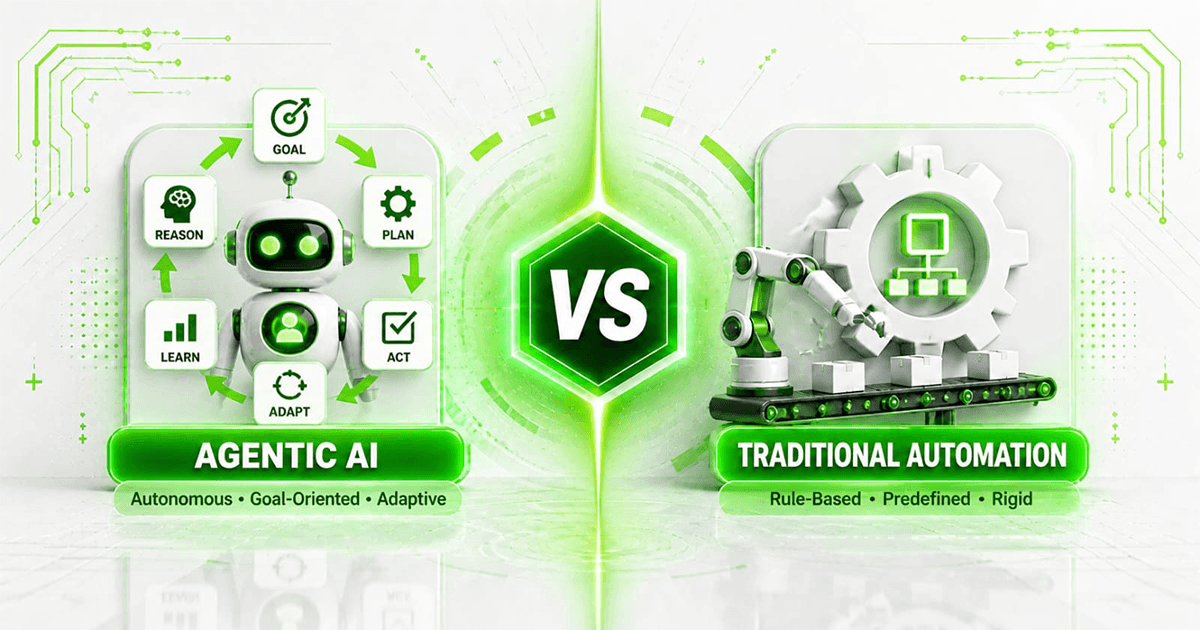
AI Automation vs Traditional NDIS Management Software
Traditional NDIS management software helps providers manage important business activities, including participant records, service bookings and administrative information.
AI automation can extend these capabilities by connecting different systems and helping teams process information more efficiently.
| Traditional Software | AI Automation |
|---|---|
| Stores participant information | Helps organise submitted information |
| Records appointments | Supports automated reminders |
| Stores documents | Extracts and categorises document details |
| Maintains financial records | Prepares information for invoice review |
| Tracks internal tasks | Helps assign and summarise tasks |
These technologies can work together.
An NDIS provider does not necessarily need to replace its existing software to introduce automation. In many cases, connecting existing applications is a more practical starting point.
How to Implement Workflow Automation in an NDIS Business
Introducing automation does not need to involve changing every business process at once.
A gradual approach can help providers understand the benefits while reducing operational disruption.
Step 1: Identify Repetitive Administrative Tasks
Start by reviewing everyday activities.
Identify which tasks involve repeated data entry, manual notifications, document organisation or regular follow-ups.
Choose a process that consumes staff time and has a clear beginning and end.
Step 2: Review Existing Software
Before developing a new system, review the applications already used by the business.
Check whether they support APIs, integrations or approved automation connections.
This can help reduce unnecessary software costs and avoid creating disconnected systems.
Step 3: Design the Automation Workflow
Map the process and define what should happen at each stage.
Identify the information required, the person responsible for each approval and the actions that should happen when information is incomplete.
A well-designed workflow should also include an exception-handling process.
Step 4: Test Before Full Implementation
Test the automation using realistic examples.
Check whether information is extracted correctly, notifications reach the right people and records are updated as expected.
Keep human approval for sensitive activities and important operational decisions.
Step 5: Monitor and Improve
After implementation, monitor the workflow regularly.
Measure processing time, administrative workload, errors and staff feedback.
Make improvements whenever business requirements or connected applications change.
Privacy and Security Considerations for NDIS Providers
NDIS providers may handle sensitive participant information, including personal details, support requirements and other confidential records.
Therefore, privacy and security should be considered before introducing automation.
Important practices include:
- Use secure systems and approved integrations.
- Limit access to sensitive participant information.
- Apply appropriate authentication controls.
- Avoid sharing confidential information with unapproved AI tools.
- Maintain appropriate document retention procedures.
- Monitor system access and automated activities.
- Keep human oversight for important participant-related decisions.
Providers should also review relevant guidance from the Australian Information Commissioner.
Useful reference: Australian Privacy Principles – OAIC
For industry-specific requirements, providers can also consult the NDIS Quality and Safeguards Commission.
How Mintodes Helps NDIS Providers With Automation
At Mintodes, we help businesses identify repetitive processes and develop practical AI-powered solutions that improve everyday operations.
For NDIS providers, automation opportunities may include participant enquiry management, document processing, appointment coordination, CRM integrations and internal workflow management.
Our approach focuses on understanding existing business processes before recommending a solution.
Depending on operational requirements, we can help businesses with:
- AI-powered workflow automation.
- Custom AI agent development.
- Document processing automation.
- CRM and business software integrations.
- Custom software development.
Explore our AI automation services to learn how automation can support business operations.
You can also explore our AI agent development services for solutions that involve processing information and coordinating approved tasks across connected applications.
Frequently Asked Questions
1. What is NDIS provider workflow automation?
NDIS provider workflow automation involves using software, integrations and AI-powered tools to manage repetitive administrative tasks such as document processing, appointment reminders, enquiry management and internal notifications.
2. Can small NDIS providers benefit from automation?
Yes. Smaller providers can start with simple workflows, such as automated enquiry collection, appointment reminders and document organisation. They do not need a large technology infrastructure to begin.
3. Can AI automate NDIS document processing?
AI can help extract information, classify documents and identify missing fields. Important records should still be checked by authorised staff before being finalised.
4. Does automation replace NDIS administrative staff?
No. Automation is designed to reduce repetitive work and support employees. Human involvement remains important for participant communication, complex decisions and service quality.
5. Is participant information safe when using AI automation?
It can be protected through appropriate security controls, access restrictions, approved providers and responsible data management. Providers should assess privacy risks before connecting sensitive information to AI systems.
6. How should an NDIS provider start using automation?
The best starting point is to identify one repetitive administrative process, review the existing software and build a small workflow that can be tested and measured.
Final Thoughts
Managing an NDIS business involves significant administrative responsibilities, but many repetitive activities can be improved through the right automation systems.
From participant enquiries and document processing to appointment management and financial administration, workflow automation can help Australian NDIS providers organise their operations and reduce unnecessary manual work.
The most effective approach is to start with practical improvements rather than trying to automate everything at once.
With the right technology, appropriate privacy controls and human oversight, providers can build more efficient processes while keeping participant support at the centre of their operations.
Looking to simplify your business operations? Contact Mintodes to discuss how AI automation and custom workflow solutions can support your organisation.